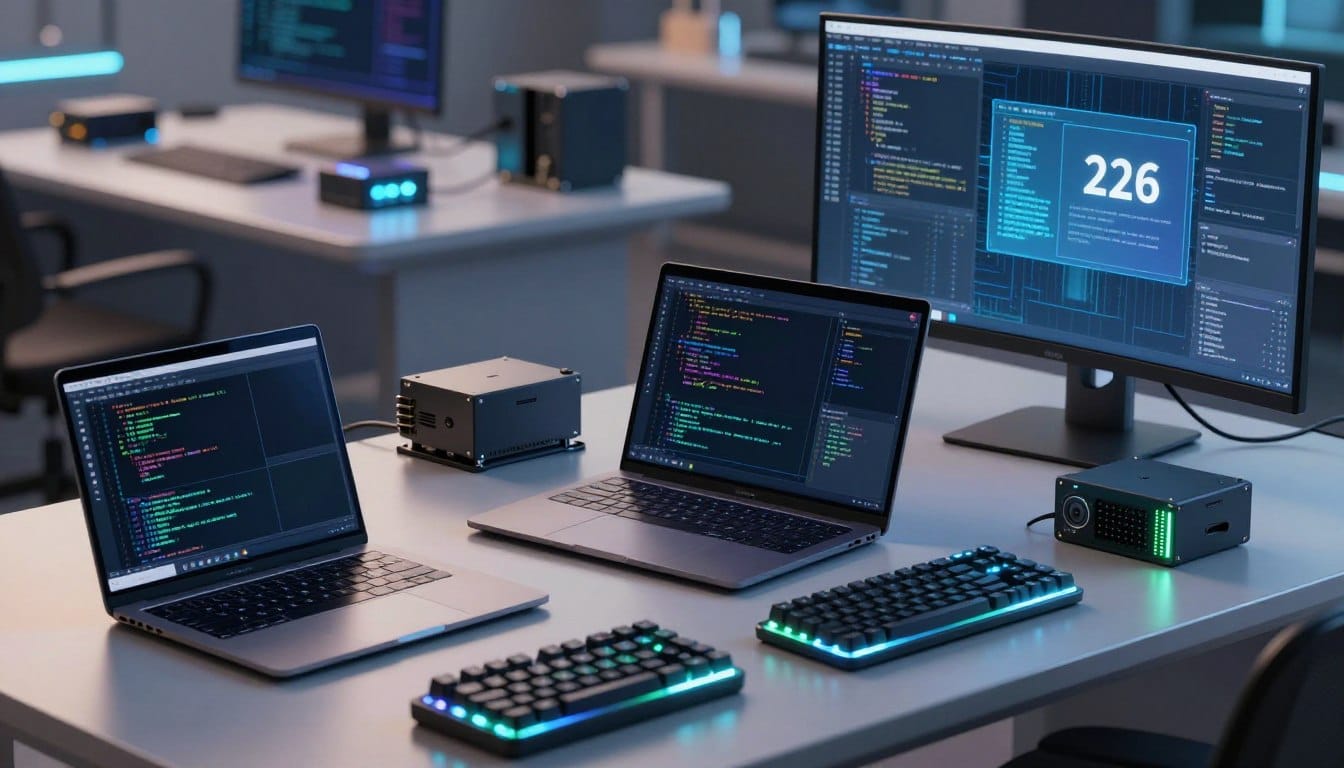


In 2026, the landscape for programming has transformed significantly. Developers now integrate AI-enabled applications, containerization, and local LLM inference into their workflows. This evolution means that selecting the right laptop requires careful consideration of various factors.
This guide evaluates top choices based on real-world testing and expert reviews. Key aspects include processor performance, RAM capacity, and storage speed. Developers need a machine that balances raw computing power with portability and battery life, especially for those long coding sessions.
As you explore this article, you’ll find insights on processor options like Intel Core Ultra and AMD Ryzen AI. We will also cover RAM configurations and the importance of NVMe SSDs. Each recommended laptop has been assessed for essential features, ensuring they meet the demands of modern programming.
Our aim is to help both student developers and seasoned professionals find a machine that offers future-proof specifications. Look for connectivity options like USB4 and Wi-Fi 7, which enhance long-term value.
Key Takeaways
- The programming landscape has evolved, emphasizing AI and containerization.
- Real-world testing informs our laptop evaluations for developers.
- Balance between power, portability, and battery life is crucial.
- Processor choices and RAM configurations play a vital role.
- Future-proof specifications are essential for long-term value.
Understanding the Needs of Programmers in 2026
Today’s programming landscape is more complex than ever, reflecting advancements in technology. Developers are no longer just compiling code; they are building and running AI-enabled applications. This shift requires a deep understanding of the various workloads that programmers face.
Modern development often involves running multiple virtual machines, containers, and emulators simultaneously. Here are some key aspects to consider:
- Diverse Workloads: Web development often requires local test servers and multiple browsers. Mobile app development can involve Android Studio with several phone simulators running at once.
- Backend and DevOps Needs: Engineers need laptops that can handle Docker containers, Kubernetes clusters, and virtual machines without slowing down or crashing.
- Data Science Requirements: Machine learning workflows demand dedicated graphics cards with CUDA support and at least 32GB of RAM to manage large datasets efficiently.
- Game Development: High-end graphics cards are essential for rendering 3D worlds in engines like Unity and Unreal, alongside high-refresh screens for smooth gameplay testing.
- User Intent: A computer science student may seek a budget laptop for coursework, while a professional developer requires a robust machine for enterprise-level tasks.
- Performance vs. Portability: Many programmers work remotely, making lightweight designs and long battery life crucial.
- Ergonomics: A comfortable keyboard with good travel, glare-reducing display coatings, and high screen resolution are vital for productivity.
- Connectivity Standards: Support for Wi-Fi 7 and Bluetooth 5.4 is necessary for seamless collaboration and fast data transfer.
- Linux Compatibility: Many programmers need laptops that can dual-boot or run Linux natively, especially for backend development.
Understanding these varied needs is essential for selecting the right laptop. A machine suited for web development may not provide the graphics power required for tasks in machine learning or game development.
Recommended Specifications for the Best Laptops for Programming 2026
The specifications for programming laptops have evolved to meet the demands of modern developers. When selecting a laptop, understanding the minimum and professional-level specs is essential. This ensures that the device can handle a variety of programming tasks efficiently.
Minimum and Professional-Level Specs
For basic coding and learning, an Intel Core Ultra 5 with at least 6 cores is sufficient. It provides the necessary performance for beginners. However, for professional full-time development, upgrading to a Core Ultra 7 with 8 or more cores is advisable.
Start with at least 512GB of storage. This allows enough room for coding tools and projects. A 14-inch Full HD screen is perfect for students and beginners. Yet, professionals should consider investing in a larger QHD screen for enhanced productivity.
Battery life is another critical factor. Aim for at least 8 hours to get through a full workday without needing a charge. For most coding tasks, integrated graphics will suffice. However, game development or AI/ML projects will require a dedicated graphics card with at least 4GB of memory.
Importance of Future-Proofing
Choosing a laptop with upgradeable components is vital. Look for swappable RAM and SSDs, as well as USB4 or Thunderbolt 5 ports. This ensures the laptop remains relevant beyond five years.
When it comes to screen size, 14-inch to 16-inch displays offer a good balance between portability and workspace. Larger displays allow developers to view code and documentation side by side.
Finally, investing in a laptop with modern ports and expansion options is essential. Multiple USB-C ports, HDMI outputs, and card readers ensure compatibility with external monitors and peripherals.
By selecting specifications based on current needs and anticipated growth, you can prevent costly replacements. This approach guarantees that your laptop remains a productive tool for years of programming work.
Processor Choices: Powering Your Development Workflow
The choice of processor can make or break your programming experience in 2026. As developers tackle more demanding tasks, selecting the right processor is essential. This section explores three leading processor families: Intel Core Ultra, AMD Ryzen AI, and Apple M4. Each offers unique advantages tailored to different programming workflows.
Intel Core Ultra Series vs AMD Ryzen AI vs Apple M4
Intel Core Ultra processors, particularly the Core Ultra 7, excel at handling larger tasks. They are recommended for developers working within the Microsoft ecosystem, especially for .NET development and Windows-based tools. The Core Ultra series features:
- Performance: With 8 or more cores, these processors handle multiple development tools efficiently.
- Compatibility: They offer broad support for various software applications.
On the other hand, AMD Ryzen AI processors come equipped with built-in Neural Processing Units (NPUs). These NPUs perform trillions of operations per second, making them excellent for:
- Machine Learning: Ideal for real-time analytics and AI workloads.
- Efficiency: High performance without compromising battery life.
Lastly, Apple’s M4 chip features a unified memory architecture and a dedicated Neural Engine. This chip is particularly beneficial for:
- iOS Development: Optimized for app development on Apple devices.
- Video Editing: Excellent for multimedia tasks requiring high processing power.
Multicore Performance and Virtualization Support
Multicore performance is critical for programming tasks. More cores enable smooth compilation of complex codebases and the simultaneous execution of test suites. This capability is vital when running virtual machines, Docker containers, or local Kubernetes clusters. Hardware-assisted virtualization features like Intel VT-x and AMD-V are essential for:
- Backend Development: Supporting Docker containers and WSL2 environments.
- DevOps Workflows: Ensuring efficient operation of development environments.
Additionally, efficient cooling solutions, such as vapor chambers and dual-fan designs, prevent thermal throttling during extended workloads. Choosing a processor that aligns with your primary operating system is also important. macOS is optimized for Apple Silicon, while Windows and Linux offer broader compatibility with Intel and AMD processors.
In conclusion, while all three processor families present compelling options, the right choice depends on your specific programming needs. Consider whether your workflow includes AI-enabled applications or traditional software engineering to make an informed decision.
RAM and Storage: Ensuring Smooth Multitasking and Fast Access
The requirements for RAM and storage in programming laptops have become increasingly critical as development tasks grow more complex. Developers need systems that can handle multiple applications and processes simultaneously without slowing down. This section delves into the essential RAM configurations and the advantages of modern storage solutions.
Choosing Between 16GB, 32GB, and Higher RAM Configurations
In 2026, 16GB of RAM is the minimum standard for comfortable programming. This amount allows users to run a code editor, multiple browser tabs, local test servers, and various development tools without experiencing system slowdowns.
However, for more demanding tasks, such as data science or machine learning, 32GB of RAM becomes necessary. This configuration is ideal for running Docker containers, Android emulators, and virtual machines alongside large databases.
For professionals involved in extensive data processing, configurations of 64GB or more are recommended. These setups are particularly beneficial for data scientists cleaning large datasets or training deep learning networks.
Advantages of NVMe SSDs Over Traditional Hard Drives
When it comes to storage, the shift from traditional hard drives to NVMe SSDs is transformative. NVMe drives, especially those utilizing PCIe 4.0 or 5.0, significantly improve boot times, application launches, and project build speeds.
A practical minimum storage capacity is 512GB, which comfortably accommodates operating systems, IDEs, SDKs, project files, and databases. For those needing more space, 1TB provides ample headroom for future projects.
Fast storage is crucial for multitasking performance. NVMe SSDs minimize I/O bottlenecks, allowing developers to run multiple services, compile code, and access large files simultaneously.
Many modern programming laptops also offer upgradeable storage options. This flexibility allows developers to start with 512GB and expand to 1TB or 2TB as project requirements evolve.
Ultimately, investing in adequate RAM and fast NVMe storage is one of the most impactful decisions when selecting a programming laptop. These components fundamentally determine the machine’s responsiveness and multitasking capability.
Battery Life and Ergonomics: Coding Comfort for Long Hours
For developers, a laptop’s ability to sustain productivity during extended coding sessions is paramount. You need at least 8 hours of battery life to get through a full workday or study session without interruption. Laptops that last 10 hours or longer give you the freedom to code anywhere. As battery life depletes over time, starting strong is essential.
A good keyboard is the difference between productivity and wasted time. You’ll want to ensure that the keyboard is comfortable for your hands and allows for quick typing and hotkeys. Keyboards with responsive keys and adequate travel reduce hand strain and improve typing accuracy during extended sessions.
- Battery Life: Achieving 8+ hours is the minimum threshold for a programming laptop in 2026, enabling developers to work through full workdays or coding marathons without constantly hunting for power outlets.
- Exceptional Performance: Laptops like the ASUS Zenbook 14 can achieve up to 18 hours of battery life, while the ASUS Zenbook S14 can last up to 27 hours, providing true all-day mobility for remote developers.
- Keyboard Quality: Evaluate keyboards based on key travel distance, tactile feedback, and backlighting for low-light coding. A well-designed keyboard layout supports quick access to hotkeys and shortcuts.
- Display Coatings: Matte screens cut down on glare, while IPS panels offer better viewing angles than basic screens. Aim for brightness levels of 400+ nits for comfortable work in bright environments.
- High-Resolution Panels: Screens with 2K or 4K resolutions provide crisper text rendering, reducing eye fatigue during long coding sessions.
- Physical Design: Consider the laptop’s weight, hinge smoothness, and trackpad responsiveness, as these factors contribute significantly to overall coding comfort and daily usability.
Battery life and ergonomics are not luxury features but essential requirements that directly impact a programmer’s daily productivity, health, and ability to work effectively from any location.
The Rise of AI Acceleration Hardware and NPUs
The integration of AI acceleration hardware is reshaping the future of programming laptops. As developers tackle increasingly complex tasks, the need for dedicated Neural Processing Units (NPUs) has become crucial. These specialized chips enhance performance, especially in areas like machine learning and generative AI.
NPUs built into processors, such as the Intel Core Ultra series, AMD Ryzen AI chips, and Apple’s M4, perform trillions of operations per second. This capability significantly accelerates tasks like local LLM inference and real-time analytics.
How AI and Neural Processing Units Enhance Programming Tasks
AI acceleration hardware dramatically improves various programming tasks. For instance, developers can run small language models locally for code generation. This capability not only speeds up the process but also enhances the efficiency of testing and debugging cycles.
Moreover, offloading AI workloads to NPUs allows the main CPU and GPU to focus on other critical tasks. This separation improves overall system responsiveness and extends battery life, which is essential for mobile developers.
Which Laptops Support Dedicated AI Acceleration
Several laptops now support dedicated AI acceleration. The ASUS Zenbook S14 with the Intel Core Ultra 7 and the MacBook Pro featuring the Apple M4 Max chip are prime examples. These machines leverage powerful NPUs to handle demanding programming tasks efficiently.
For programmers involved in natural language processing, computer vision, or real-time analytics, choosing a laptop with robust NPU capabilities is essential. This hardware allows developers to test and debug AI-enabled applications locally, reducing reliance on cloud services and enhancing iteration speed.
The integration of NPUs signifies a major shift in laptop architecture, akin to the transition from mechanical hard drives to SSDs. By 2026, this technology will likely become standard in all programming laptops.
Furthermore, the ecosystem of development tools optimized for AI acceleration is expanding. Frameworks like TensorFlow, PyTorch, and ONNX Runtime are designed to leverage NPUs, enabling faster model training and inference.
In conclusion, forward-thinking programmers should prioritize laptops with dedicated AI acceleration hardware. This choice will help them stay competitive in a landscape where AI continues to influence software development workflows.
Display Quality and Graphics Options for Developers
The need for high-quality display technology is crucial for developers in today’s demanding programming landscape. A laptop’s screen can significantly impact productivity, especially for those who spend over eight hours a day coding. Thus, developers should prioritize high-resolution panels, matte coatings, and sufficient brightness as essential features.
When selecting a display, consider the following:
- High-Resolution Displays: Aim for at least a 1920 x 1080 resolution, with a strong preference for 2K (2880 x 1800) or 4K (3840 x 2160) panels. These resolutions render text crisply and allow comfortable side-by-side window arrangements for coding and documentation.
- Matte Screen Coatings: These coatings are vital for reducing glare and eye strain, particularly in bright environments. Developers working near windows or outdoors will find matte screens much more comfortable.
- High Refresh Rates: Displays with refresh rates of 120Hz or more provide smoother scrolling and UI animations. While not essential for all programming tasks, they enhance the overall user experience during extended use.
Different display technologies also offer unique benefits:
- OLED Panels: Found in devices like the ASUS Zenbook, these displays provide superior contrast, deeper blacks, and cover 100% of the DCI-P3 color gamut.
- Mini-LED Displays: These offer excellent brightness and HDR performance, making them ideal for graphic-intensive work.
For game development and machine learning, dedicated graphics cards are essential:
- Dedicated GPUs: Developers working with 3D environments in engines like Unity or Unreal Engine will benefit from NVIDIA’s GeForce RTX series. These cards are crucial for rendering complex graphics and ensuring smooth gameplay testing.
- Machine Learning Needs: Tasks involving deep learning and data visualization require dedicated NVIDIA graphics cards with CUDA support, which significantly accelerate model training and complex computations.
For web development and most backend programming, integrated graphics like Intel Arc Graphics or Intel Iris Plus are often sufficient. This allows developers to focus on other specifications that enhance their workflow.
Specific laptops that excel in display quality include:
- Dell XPS 15: Features an UltraSharp 4K Ultra HD display.
- MacBook Pro: Known for its Liquid Retina XDR display.
- ASUS Zenbook 14: Offers a stunning 3K Lumina OLED touchscreen.
In conclusion, matching display quality and graphics options to the developer’s specific workload is essential. While web developers may prioritize high-resolution screens, game developers and data scientists require both premium displays and dedicated GPUs to meet their demanding needs.
Connectivity, Ports, and Expansion for Future-Proofing
As development needs grow, the importance of robust connectivity and port options in laptops cannot be overstated. A well-equipped laptop enhances productivity by allowing seamless connections to various peripherals and devices. This section explores the essential connectivity features every programmer should consider.
USB4 / Thunderbolt 5 and Wi-Fi 7 Standards
Modern programming requires efficient data transfer and connectivity. Look for USB4 or Thunderbolt 5 ports, which enable:
- External GPUs: Perfect for compute-heavy tasks like machine learning and game development.
- Ultra-fast SSDs: Rapid data transfer speeds improve overall productivity.
- Single-cable docking stations: Simplify setups with multiple monitors and peripherals.
Additionally, Wi-Fi 7 and Bluetooth 5.4 are the latest wireless standards. They provide:
- Faster data transfer speeds.
- Lower latency for remote development.
- More reliable connections in crowded environments.
Modular Upgradeability and External GPU Support
Another vital consideration is the laptop’s modular upgradeability. Laptops like the Framework Laptop allow developers to:
- Swap out RAM and SSDs.
- Change ports and even mainboards.
- Extend device lifespan beyond 5-7 years.
External GPU support is also valuable for developers who need portability but occasionally require dedicated graphics power. This flexibility is crucial for tasks like 3D rendering or ML training.
Strong Linux compatibility is essential for many developers. Laptops with well-supported hardware ensure seamless dual-booting or native Linux operation without driver issues.
When comparing popular programming laptops, note that the MacBook Pro primarily relies on Thunderbolt ports, while the Lenovo ThinkPad X1 Extreme offers a more diverse selection, including HDMI and USB-A.
Future-proof connectivity ensures your laptop remains useful as development workflows evolve. Investing in a laptop with modern ports, wireless standards, and upgradeable components provides long-term value and flexibility.
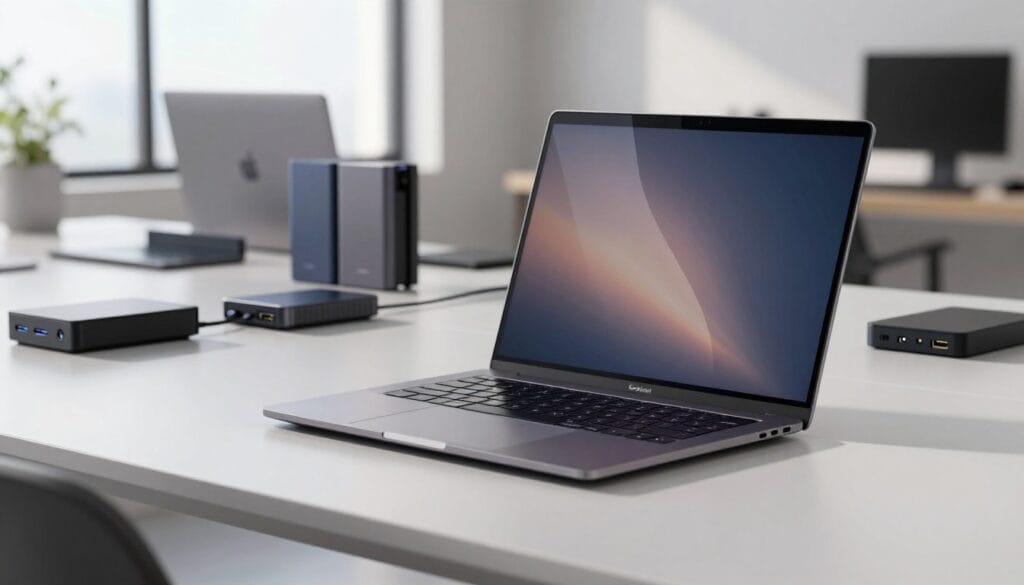
Modular and Repairable Laptops: Investing in Longevity
The trend towards modular and repairable laptops is gaining momentum in 2026. These innovative devices offer developers the chance to extend their laptops’ lifespan significantly. By allowing for component upgrades, they reduce electronic waste and maintain peak performance over time.
One of the main advantages of modular laptops is the ability to swap out components. For instance, developers can upgrade RAM from 16GB to 32GB as project demands grow. They can also replace SSDs with larger or faster models and easily swap out worn batteries without needing professional help.
Easy repairs are another key benefit. Developers can replace a faulty keyboard, damaged screen, or degraded battery themselves. This self-service capability can save significant costs compared to expensive professional repairs or purchasing an entirely new laptop.
The Framework Laptop is a leading example of modular design. It features a unique expansion card system, allowing users to customize port configurations. You can swap between USB-C, USB-A, HDMI, and storage expansion as needed.
Modular laptops also support sustainability goals. By reducing electronic waste, developers can upgrade or replace individual components while the chassis and display continue to serve for many years.
For developers, the flexibility of modular laptops is particularly beneficial. As they transition from web development to more demanding fields like machine learning or game development, they may need additional RAM, storage, or GPU power.
Even traditionally non-modular laptops, such as some Lenovo ThinkPad models and certain ASUS Vivobook series, offer expandable RAM and storage. This provides a middle ground between fully modular designs and sealed ultrabooks.
Investing in a modular or repairable laptop aligns with long-term cost-efficiency. The initial purchase price is amortized over a longer useful life, with incremental upgrade costs rather than periodic full replacements.
To illustrate the financial advantages, consider the total cost of ownership. A modular laptop upgraded over 7 years can be significantly more economical than a sealed laptop replaced every 3-4 years.
In conclusion, for programmers who value sustainability, long-term flexibility, and the ability to adapt their hardware to evolving development needs, modular and repairable laptops represent the most future-proof investment in 2026.
| Laptop Model | Modularity Features | Price Range | Quality Rating |
|---|---|---|---|
| Framework Laptop | Swappable RAM, SSD, Ports | $999 – $1,499 | 4.5/5 |
| Lenovo ThinkPad X1 | Expandable RAM, Storage | $1,299 – $2,499 | 4.7/5 |
| ASUS Vivobook | Upgradable RAM, SSD | $699 – $1,299 | 4.3/5 |
Top Laptop Picks for Programming 2026
The evolution of programming demands innovative laptops that cater to developers’ unique needs in 2026. With a variety of options available, programmers can choose devices that balance performance, portability, and price. Here are some top picks to consider:
1. HP Spectre x360 – Sleek Design and Balanced Power
The HP Spectre x360 stands out as a versatile 2-in-1 laptop. It combines a sleek design with balanced power. Featuring 10th-generation Intel Core processors and Intel Iris Plus graphics, this laptop is perfect for web development and general coding tasks. Its 13.3-inch FHD display enhances the overall experience, making it a stylish choice for programmers.
2. Lenovo ThinkPad X1 Extreme – Configurable Workhorse
Next is the Lenovo ThinkPad X1 Extreme, known for its robust build. This laptop offers up to 64GB of RAM and a 4K display option. It is equipped with Nvidia GeForce GTX 1050Ti graphics, making it a powerful choice for programming professionals. Its customizable features allow users to tailor the device to their specific needs.
3. MacBook Pro 2020 – macOS Powerhouse
The MacBook Pro 2020 is a top-tier choice for macOS users. It features 9th-generation Intel Core i7 to i9 processors and AMD Radeon Pro graphics. With up to 64GB of RAM and a stunning 16-inch Retina display, this laptop delivers exceptional performance for iOS development and design work.
4. ASUS Chromebook Flip C436F – Portable for Web Developers
For those seeking portability, the ASUS Chromebook Flip C436F is an excellent option. It features a 10th-generation Intel Core processor and a 14-inch Full HD display. This lightweight laptop is perfect for web developers focused on cloud-based workflows, offering performance at an accessible price point.
5. Dell XPS 15 – Premium Build and 4K Display
The Dell XPS 15 is a premium Windows laptop that impresses with its features. It boasts a 10th-generation i7 processor and NVIDIA GTX 1650 Ti graphics. The UltraSharp 4K Ultra HD display ensures visual clarity, making it ideal for developers who require high performance and stunning visuals.
6. Microsoft Surface Laptop 3 – Ideal for Microsoft Ecosystem Users
The Microsoft Surface Laptop 3 is tailored for programmers deeply integrated into the Microsoft ecosystem. It offers a comfortable keyboard and trackpad, along with Intel Iris Plus Graphics. The responsive PixelSense Display excels at compiling complex programming languages, enhancing productivity.
7. ASUS Zenbook Series – Versatile with Long Battery Life
The ASUS Zenbook Series features models like the Zenbook 14 UX3405. It offers an Intel Core Ultra 5 processor, 16GB RAM, and 1TB SSD. With over 18 hours of battery life, this laptop is perfect for developers needing mobility. The premium Zenbook S14 UX5406 provides even more power with up to 27 hours of battery life.
8. ASUS TUF Gaming F16 – Dedicated Graphics for Game Development
Lastly, the ASUS TUF Gaming F16 is a dedicated graphics champion. It features an NVIDIA GeForce RTX 3050A with 4GB GDDR6. This laptop is ideal for game development, with a 144Hz display that ensures smooth gameplay testing.
When comparing prices, options range from budget-friendly Chromebooks to premium workstations exceeding $2,000. Each recommended laptop has been selected based on its ability to meet specific programming needs, ensuring there’s a suitable choice for every developer.
Common Mistakes to Avoid When Buying a Programming Laptop
Many programmers overlook key features when choosing a laptop, leading to frustrations down the line. Understanding these common mistakes can help you make a more informed decision and select a device that meets your needs effectively.
Underestimating RAM Requirements
One of the most frequent errors is underestimating RAM needs. Many developers opt for 8GB to save money, but this often results in constant slowdowns. Running code editors, browsers, and testing tools simultaneously can lead to frustrating multitasking experiences. Upgrading to at least 16GB is advisable for smoother performance.
Choosing Slow Storage Drives
Another critical mistake is selecting slow storage drives. Traditional mechanical hard drives can waste hours of productive time with slow boot sequences and sluggish application launches. In contrast, NVMe SSDs load programs and files instantly, significantly enhancing your overall workflow.
Overlooking Battery and Port Needs
Short battery life is another common issue. Developers often find themselves hunting for outlets, which interrupts their workflow. Aim for laptops that offer at least 8 hours of battery life to ensure you can code from cafes or libraries without interruptions.
Moreover, having too few ports can be a costly mistake. This limitation may require you to purchase dongles and adapters, creating a cluttered workspace. It can waste time as you constantly unplug and reconnect peripherals like external monitors and storage drives.
Ignoring Keyboard Comfort and Display Quality
Keyboard comfort is essential. A poor keyboard with inadequate key travel can cause hand pain during long coding sessions. This discomfort significantly reduces typing speed and accuracy, impacting your overall productivity.
Additionally, neglecting display quality can lead to eye strain. Low-resolution screens with glossy coatings limit visible code lines and make it challenging to work in bright environments. Aim for a high-resolution screen that offers adequate brightness levels.
Finally, consider storage space carefully. Buying a laptop with only 256GB of storage can fill up rapidly with development tools and project files. This situation forces constant file management and reliance on external drives, disrupting your workflow.
By avoiding these common mistakes, you can ensure that your laptop will serve as a reliable, comfortable, and productive development workstation for years to come.
Conclusion
Choosing the right device for coding is essential to meet today’s diverse programming demands. Whether you are a student or a seasoned developer, the ideal machine should balance processing power, RAM, and storage with a quality display and reliable battery life.
Remember, 16GB of RAM is the minimum for comfortable programming, while 32GB is recommended for professionals. Fast NVMe SSDs are crucial for quick boot times and multitasking efficiency.
Processor selection should align with your development environment. Intel Core Ultra excels in Windows, while AMD Ryzen AI is great for AI tasks, and Apple M4 is perfect for macOS development.
Additionally, ensure your laptop has a battery life of 8+ hours, a comfortable keyboard, and a high-resolution matte display to enhance productivity.
As programming continues to evolve, investing in a laptop with AI acceleration and modular components will provide long-term value. Consider your specific programming needs and avoid common purchasing mistakes to make a wise choice.


 By
By