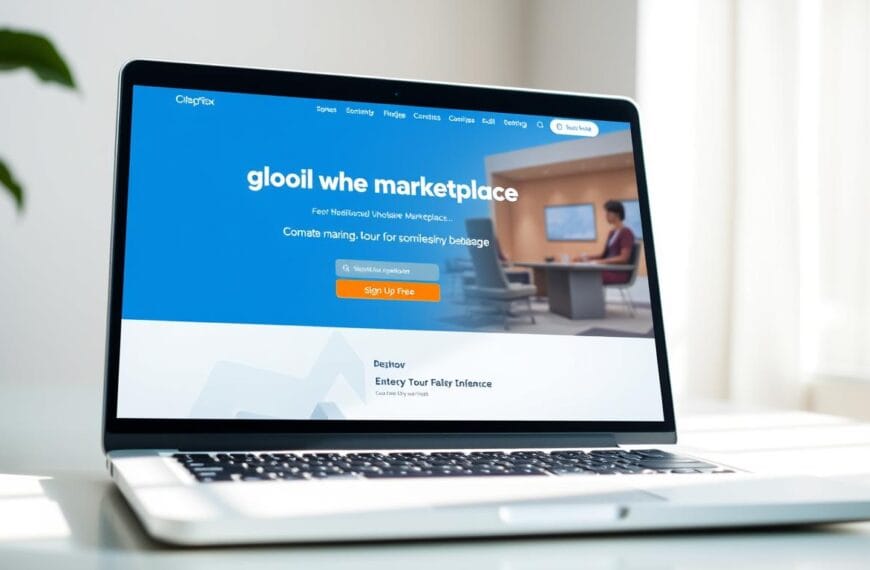


Launching digital presence shouldn’t feel like rocket science. Most professionals struggle with tools demanding coding skills.
Site 123 provides solutions. This platform helps users build site 123 pages without coding hurdles.
Rather than dragging elements across screens, this website builder uses structured layouts. You simply fill ready-made blocks with content.
This structured method ensures your online hub looks polished. Most websites require hours of design, but this one saves time.
Most users go live quickly. The features provided cater specifically to small business needs.
While it limits creative freedom, the efficiency of site 123 makes it the top choice. This site review covers how websites function for modern shops.
Key Takeaways
- Platform focuses on beginner-friendly tools for rapid deployment.
- System uses structured templates rather than drag-and-drop options.
- Users launch pages quickly, often under fifteen minutes.
- Design freedom remains limited to ensure simple user experiences.
- This solution suits entrepreneurs needing immediate online presence.
- Review evaluates balance between simplicity and business growth.
What Is SITE123 Website Builder?
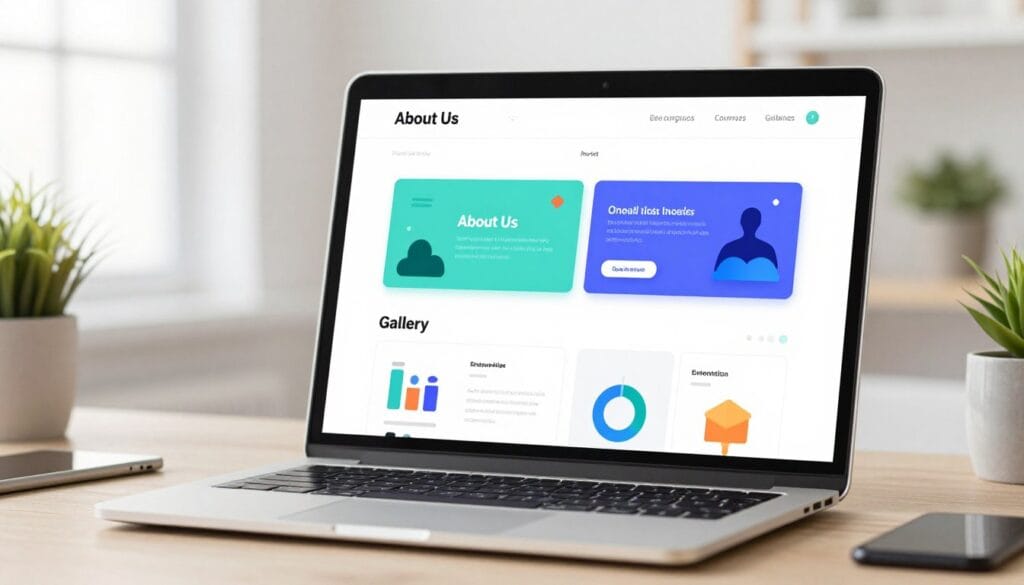
Launched in 2015, SITE123 focuses on making web design accessible through a curated, section-based approach. Entrepreneur Noam Alloush founded this Israeli platform to serve as a fast-growing, independent solution for DIY creators. It specifically targets individuals who want a professional website without the hassle of learning complex code or design theory.
Unlike a traditional website builder that uses a free-form drag-and-drop system, this builder relies on pre-made layout blocks. You simply choose a structure and fill it with your own unique content. This efficient method mirrors the simplicity found in modern systems like IONOS or Jimdo to speed up the launch process.
The site 123 experience is an all-inclusive hosted solution. It bundles web hosting, domain services, and design software into one integrated package. This eliminates the need for you to purchase or manage these technical components separately from different providers.
This platform positions itself as the most intuitive builder on the market today for novice users. It provides essential features that allow you to launch a high-quality website in record time. While it competes with giants like Wix or Squarespace, its curated templates help significantly reduce decision fatigue.
The site 123 philosophy centers on reducing complexity. By offering done-for-you templates based on your specific industry, it lets you focus on your message. You will not have to wrestle with difficult design elements or align every pixel on your own website.
The site 123 model follows a freemium structure. You can start with a basic website for free to test the features. Paid premium tiers unlock advanced options, including custom domains and full e-commerce capabilities for growing businesses.
SITE123 Website Builder 2026: Create a Professional E-commerce Site in 15 Minutes – Quick Overview
Launching a new online presence is faster than ever with the SITE123 Website Builder 2026: Create a Professional E-commerce Site in 15 Minutes approach. This platform focuses on efficiency for busy business owners who need results. You can move from a concept to a live website without writing a single line of code.
The site 123 environment uses a guided editor to help you through every step of the setup. This builder handles the technical heavy lifting, such as hosting and SSL security. Users appreciate the simplicity of this website builder when they need a clean, functional shop that works well on mobile devices.
“SITE123 is by far the most efficiency-focused tool for small business owners I have tested this year.”
Key Features at a Glance
One of the top features of site 123 is the AI-powered generator. It creates a personalized draft based on your specific business type and goals. You also get access to over 180 mobile-responsive templates that look great on any screen size.
The site 123 system includes built-in SEO tools like 301 redirects and a helpful SEO advisor. This helps your website rank better on search engines like Google. You can also integrate multiple payment gateways like Stripe and PayPal to manage your store sales efficiently.
Other notable features include:
- Integrated blogging tools with post scheduling.
- Multilingual support with automatic translation options.
- 24/7 live chat support available for all users.
- Customizable contact forms and appointment booking.
Pricing Summary
The pricing structure fits various business stages and budget requirements. You can start with a free plan to test the basic features of the platform. This version includes 250 MB of storage to get your website started quickly.
| Feature | Free Tier | Premium Tier |
|---|---|---|
| Monthly Cost | $0.00 | $12.80 |
| Storage | 250 MB | 10 GB |
| Bandwidth | 250 MB | 5 GB |
| Custom Domain | No | Yes (1 Year Free) |
To unlock more power, the premium plan starts at an affordable monthly rate. This tier removes the site 123 branding and provides a custom domain for a professional look. It is the best choice for a website that requires more storage and a unique identity.
The builder ensures that your pricing remains transparent with no hidden surprises. Choosing a website builder is easy when you see the value provided at each level. Every website you create here benefits from high-speed hosting and reliable security certificates.
Getting Started with SITE123: Setup and User Experience
The journey from an idea to a live store is remarkably efficient with this platform’s streamlined onboarding. Most new business owners want to avoid complex coding and lengthy learning curves. SITE123 caters to this need by offering a path to publication that averages about 15 minutes.
This speed allows you to focus on your products rather than technical hurdles. It ensures that your website is ready for traffic almost immediately after you sign up. The barrier to entry is kept low to encourage creativity and rapid deployment.
Registration Process
Signing up is a straightforward three-step process that respects your time. You begin by selecting your website category from a list of options like business, restaurant, or online store. This choice helps the platform understand your layout needs from the very first click.
Next, you provide a name for your project and your basic contact details. One major benefit is that you can get started without entering any credit card information. The generous free plan allows users to explore every feature before making a financial commitment.
- Quick email and password setup.
- No upfront payment or hidden fees.
- Instant project naming and categorization.
Initial Setup and Onboarding
After you create an account, an intelligent system asks targeted questions about your goals. It uses this data to generate a tailored template for your specific industry. This builder then launches an interactive tutorial overlay to show you the basic controls.
“The goal is to make web creation accessible to everyone, regardless of their technical background or design skills.”
The tutorial guides you through tasks like editing text and swapping images. Using site 123 ensures you never feel lost during these first critical steps. It is designed to help you get started with confidence through visual cues and simple prompts.
Dashboard Overview
The dashboard acts as your central command center for all website activities. It features clearly labeled tabs for managing pages, store settings, and domain configurations. Everything stays mobile-optimized from the moment you open the
for the first time.
The site 123 interface keeps users focused by hiding complex menus until they are needed. You can manage your global website settings or check your store’s performance from one single screen. If you encounter any trouble, a contextual help button provides instant access to 24/7 live chat support.
| Phase | Estimated Time | Key Action |
|---|---|---|
| Account Creation | 2 Minutes | Category & Name Selection |
| AI Generation | 5 Minutes | Automated Template Setup |
| Customization | 8 Minutes | Content Updates & Media |
The intuitive layout ensures that even a total beginner can produce a professional result. By the time you finish the onboarding, your site is fully functional and ready for the public.
SITE123 Editor: Ease of Use and Interface
When you first open the editing interface, the focus on simplicity and structure becomes immediately apparent. This builder prioritizes a stress-free experience, ensuring you spend less time learning software and more time growing your brand. The interface feels light and modern, removing the clutter often found in many professional tools.
Editor Layout and Navigation
The site 123 editor utilizes a clean three-panel layout to keep everything organized. A top navigation bar acts as your control center, linking to your website settings, store management, and domain options. This clear hierarchy means you never get lost while jumping between different tasks.
A contextual sidebar sits on the left, updating its tools based on what you are currently clicking. If you are modifying a specific page, the sidebar shows relevant layout choices or color palettes. In the center, the website preview allows you to see changes as they happen.
A chat support button remains persistently accessible in the bottom-right corner. This allows you to request assistance without leaving your current workflow or interrupting your progress. Navigation between major functions remains fluid, requiring only single clicks to access global settings.
Section-Based Design System
This platform uses a unique section-based design system rather than a traditional canvas. Instead of moving elements freely, you choose from pre-set blocks that snap into place perfectly. This approach ensures your website looks professional on every screen size without manual adjustments.
Each section includes a dedicated toolbar for quick customization. You can change the background, adjust the content, or even utilize AI text generation for faster drafting. While it offers fewer options for manual placement, it virtually eliminates the possibility of breaking your layout.
| Feature | Section-Based System | Traditional Drag-and-Drop |
|---|---|---|
| Ease of Use | High / Beginner Friendly | Moderate Learning Curve |
| Mobile Optimization | Automatic and Stable | Often Requires Manual Fixes |
| Speed of Creation | Fast and Guided | Time-Consuming Precision |
Performance and Speed
Performance is a major highlight for the site 123 experience. The editor responds instantly when you switch a page or update a visual element. There is virtually no lag, which keeps your creative momentum high throughout the building process.
The smooth transition between different design settings makes the process feel fluid. Because the software is optimized for speed, you can finalize your website without frustrating technical delays. For users who value efficiency, this environment provides a robust and reliable workspace.
Templates and Design Options
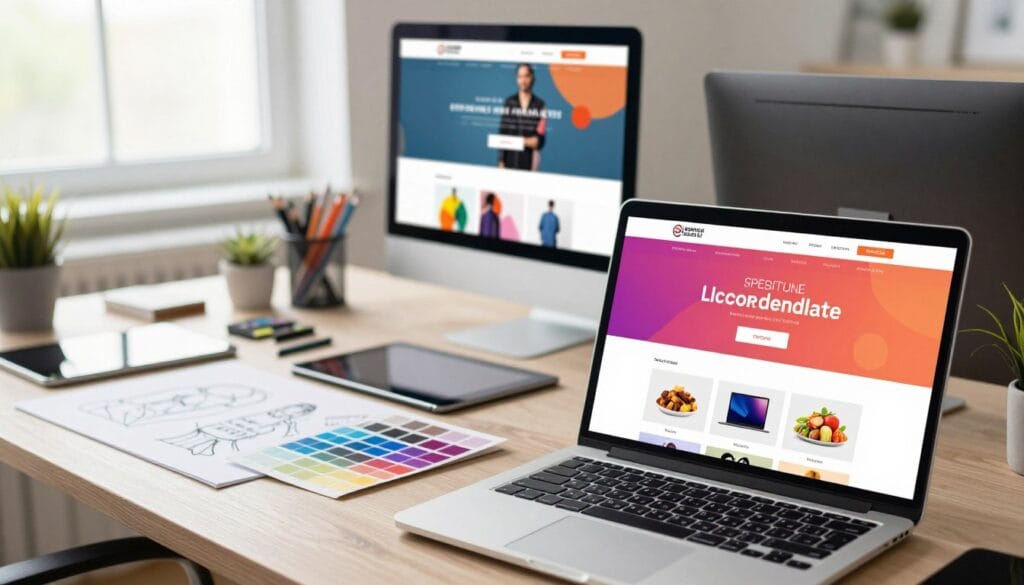
Exploring the aesthetic possibilities of your new site starts with the extensive library provided by the builder. SITE123 offers a structured approach to visual creation, providing 180+ mobile-responsive frameworks. These are organized across 20 distinct categories, including business services, restaurants, and portfolios.
The platform prioritizes simplicity over complex artistic freedom. This makes it an ideal choice for users who want a professional website without spending hours on small details. You can quickly find a style that fits your industry and launch your project with confidence.
Selection Process
Users encounter two different pathways when picking a theme. During the initial setup, the system presents 16 basic options based on your selected industry. This streamlined approach helps you get online fast by reducing decision fatigue.
If those initial choices do not fit, you can browse over 100 classic styles on the main site 123 homepage. However, the platform does not make it easy to switch your design once you are inside the editor. Changing your mind later requires visiting an external gallery, which feels less transparent than it should.
Each template serves as a functional foundation rather than a blank canvas. This ensures that even beginners cannot accidentally break the structural integrity of their online presence. It is a trade-off between total control and guaranteed stability.
Quality and Variety of Templates
The visual design quality focuses on clean aesthetics and functionality. While the library is large, many choices share similar structural foundations. You will notice that minimalist layouts dominate the collection, prioritizing content over flashy decorations.
One drawback is the lack of advanced interactive elements. You will not find parallax scrolling, video backgrounds, or complex hover animations here. The result is a collection of pages that look professional but somewhat generic compared to premium competitors.
| Category Type | Key Features | Aesthetic Style |
|---|---|---|
| Online Store | Product Grids | Clean & Modern |
| Business | Service Lists | Professional |
| Portfolio | Image Galleries | Minimalist |
Mobile Responsiveness
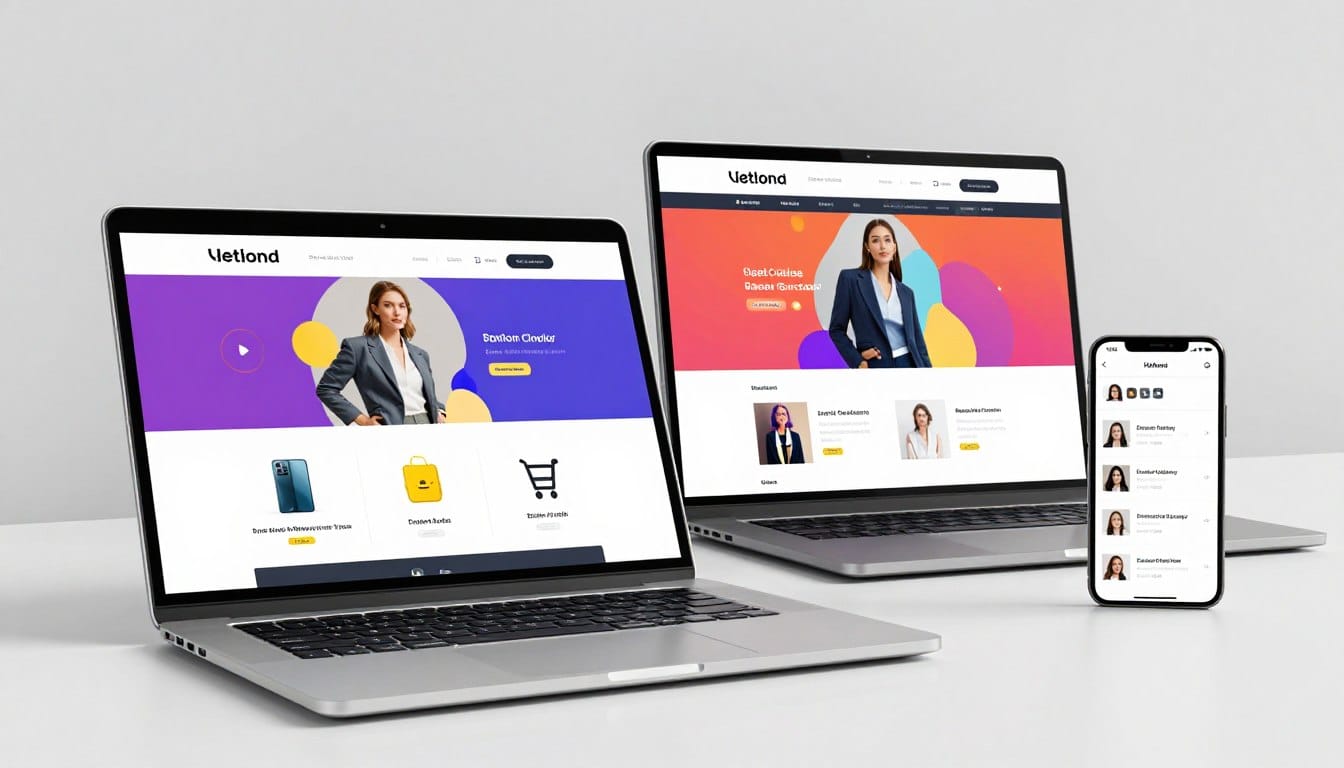
Every website created with this tool is fully responsive right out of the box. The system automatically adjusts font sizes, images, and layouts for smartphones and tablets. This ensures a consistent experience for all visitors, regardless of their device.
“The mobile version of your site is generated automatically, ensuring that functionality remains the top priority on smaller screens.”
While the automation is helpful, it comes with limitations. On the free plan, the mobile design is non-editable. You cannot create separate views for desktop and mobile users. The site 123 system handles everything, which is great for speed but limiting for perfectionists.
Most templates include pre-configured pages for common needs, such as:
- Homepage hero sections for strong first impressions.
- Contact forms with integrated map options.
- Testimonial displays to build user trust.
- Team member profiles with standard layouts.
Ultimately, site 123 provides a reliable way to build a website that looks good on any screen. It favors a homogeneous aesthetic that guarantees a functional user experience for every visitor.
Customization Capabilities and Limitations
Understanding the balance of customization and simplicity is key when exploring the site 123 platform. This builder intentionally restricts design freedom to prevent users from creating broken or messy layouts. It trades absolute creative control for consistency and technical reliability.
By narrowing the customization options, the system ensures your website remains functional on every device. You do not have to worry about overlapping elements or unreadable text. This approach helps beginners maintain a professional standard without needing a background in graphic arts.
Global Design Settings
The Design menu serves as the main control center for your website structure. Here, you can establish standards for your navigation menu, header, and footer. These global options apply to every page automatically to ensure a cohesive look.
Users can modify the structural framework by adjusting the position of navigation elements. However, these choices stay within a predefined grid system to maintain site stability. This global design approach saves time when managing a growing website.
Color and Font Options
The color system allows you to pick a primary brand shade for buttons and links. You can also choose from curated color schemes that harmonize different content sections. This ensures that your brand identity remains clear on the website at all times.
Typography offers three main paths: single fonts, font pairs, or manual assignments. Curated font pairs are especially helpful for matching headings with body text perfectly. This specific feature helps simplify the design process for those who feel overwhelmed by too many choices.
Page-Level Customization
While the core template structure remains fixed, you can select different layouts for individual sections. For example, a “Services” section might offer several visual variations to suit your content. This provides some visual diversity without letting you break the underlying code structure.
Inside the site 123 editor, you can occasionally override global font or background settings for a specific block. However, these customization options are less flexible than full-scale builders. You can pick from various layout options, but you cannot move elements to any pixel on the page.
Design Restrictions
Advanced users might find the site 123 platform somewhat restrictive because it lacks a drag-and-drop interface. You cannot reorganize elements freely or create custom layouts from scratch. The software prioritizes speed and ease of use over complex modifications.
Critical design restrictions include the inability to adjust element spacing or access CSS code. Furthermore, you cannot implement custom animations or transitions between sections. These limitations ensure your website loads quickly and stays mobile-responsive without extra effort.
| Feature Category | Available Customization | Design Restrictions |
|---|---|---|
| Visual Identity | Primary brand color settings | No custom animations |
| Typography | Curated font pairs | No manual padding control |
| Layout Control | Section layout variants | No drag-and-drop editor |
| Advanced Tools | Basic customization options | No HTML or CSS access |
SITE123 E-commerce Features: Building Your Online Store
Building a professional online store requires the right set of tools, and site 123 offers a dedicated environment for modern merchants. To start selling, you must first add a specific store page through the page management interface. This functionality is accessible once you upgrade to a paid plan.
The platform simplifies the transition from a standard site to a commercial powerhouse. It provides a structured way to display your catalog without needing complex coding skills. This approach allows any business to reach customers quickly and effectively.
Setting Up Your Store
The setup process is designed to be intuitive for any small business owner. After adding the page, you gain access to a comprehensive dashboard for tracking sales and inventory. You can even connect a custom domain to give your brand a more professional look.
The website owner can easily toggle various settings to customize the shopping experience. You can choose how the products appear and manage the visibility of different categories. This ensures that the online store looks exactly how you envisioned it from the start.
Product Management
Managing your inventory on site 123 is both flexible and organized. The website supports physical goods and digital products, though digital downloads require a GOLD subscription. You can organize items into categories and subcategories to help customers find what they need.
The variant management system is a highlight of the features available. You can define sizes, colors, and materials with independent pricing for each. These options appear as dropdown lists, buttons, or checkboxes on your online store.
Each entry allows for multiple images and rich text descriptions to entice shoppers. You can also track SKUs and inventory levels to prevent overselling. Efficiency is the core goal of this product management interface.
Payment Gateway Integration
Accepting payments is seamless with several popular tools on site 123. The website integrates with Stripe, Square, PayPal, and Amazon Pay. These features allow customers to pay using their preferred methods easily.
For those who prefer offline transactions, manual methods are also available. You can set up bank transfers, cash on delivery, or check payments. Manual instructions can be provided directly to the customer during the checkout process.
If you target a global audience, the GOLD tier allows for multi-currency support. This ensures that every visitor to your store sees prices in their local currency. It creates a much smoother shopping experience for international buyers.
Shipping and Tax Configuration
Shipping settings allow you to define costs by weight, price, or flat rates. You can customize these rates based on specific geographic regions. Note that the website does not offer direct integration with carriers for real-time quotes.
Tax management follows a similar manual approach within the store settings. You can set different rates for various regions or product categories. While there are no automatic presets, the interface makes it easy to enter the required percentages.
| Feature Category | Available Capability | Subscription Tier |
|---|---|---|
| Digital Products | Downloads & Courses | GOLD Plan |
| Payment Methods | Stripe, PayPal, Square | Paid Plans |
| Tax Settings | Regional Manual Config | Paid Plans |
These features ensure you maintain control over your financial operations. Using site 123 allows you to build a reliable foundation for your digital sales. It provides all the essentials needed to launch and grow a successful brand online.
Advanced E-commerce Tools and Limitations
Deepening your digital sales strategy involves looking at how site 123 handles complex product management and promotional activities. While the builder is known for simplicity, professional users often need more robust features to scale their store effectively. Understanding these utilities helps you decide if this website builder meets your long-term business goals.
Most advanced capabilities are designed to streamline the buying process for your visitors. However, users should be aware that many of these tools are restricted to specific subscription tiers. This means your growth strategy must account for the costs associated with upgrading your service.
Product Variants and Options
The platform allows you to set up multiple options for a single item, such as size, material, or color. This system supports independent attribute sets, meaning you can combine various choices into one listing. This is useful for clothing shops or furniture retailers who offer custom selections.
You must manage these options manually, as the system lacks advanced conditional logic. This means you cannot easily hide certain choices based on a previous selection. For large inventories, the manual nature of these features might become a bottleneck for your workflow.
Coupons and Discounts
Promotional strategies are vital for any successful online store. With the GOLD subscription, you gain access to a flexible coupon system that encourages repeat business. You can create codes for percentage-based discounts or fixed dollar amount reductions.
Merchants can also set specific limits, such as expiration dates or usage caps per customer. You can restrict these codes to specific categories or products to protect your profit margins. These plans ensure you have granular control over how you run your seasonal sales.
Customer Reviews
Building social proof is easy with the built-in customer review system. This proprietary tool allows buyers to leave star ratings and written feedback directly on your product pages. Trust is a major factor in online sales, and showing verified feedback can significantly boost your conversion rates.
Unlike basic plans, this feature is exclusive to GOLD tier users. It utilizes an in-house solution rather than relying on third-party integrations. This keeps your website clean and ensures that the review design matches your overall aesthetic.
E-commerce Paywalls
Many powerful features are locked behind higher plans. For instance, selling digital products or using multi-currency tools requires a GOLD subscription. If you want to reach an international audience, you must manually configure exchange rates within this website editor.
Despite these additions, the website lacks support for modern needs like online courses or membership sites. There is also no automated system for abandoned cart recovery on this website. Businesses focusing on high-volume revenue may find these gaps challenging to overcome.
| Advanced Feature | Description | Plan Required |
|---|---|---|
| Coupons | Percentage or fixed discounts | GOLD |
| Multi-currency | Sell in different currencies | GOLD |
| Customer Reviews | Star ratings and feedback | GOLD |
| Advanced Variants | Complex size and color sets | Professional / GOLD |
Blogging Platform and Content Management

Beyond simple site building, the platform provides a robust environment for long-form content and digital storytelling. This builder recognizes that a professional website needs more than just a home page to thrive in search rankings. The blogging tools are designed for creators who want to share insights without fighting a complex interface.
Establishing an online voice helps build trust with your audience. By using these streamlined management options, you can maintain a consistent publishing schedule. This approach ensures your brand remains relevant and engaging to visitors over time.
Blog Setup and Layout Options
To begin, you simply add a dedicated blog page to your existing website structure. You can choose from several visual arrangements to showcase your posts. These include traditional list formats, modern grid views, or masonry layouts for a more artistic feel.
| Layout Type | Best Use Case | Visual Style |
|---|---|---|
| Grid | Portfolio Blogs | Symmetrical boxes |
| List | News & Updates | Vertical chronology |
| Masonry | Creative Works | Variable height tiles |
The system also supports featured post showcases to highlight your most important content. You can organize your archives using a hierarchical category system. Flexible tag clouds further help users find related topics quickly across your entire site.
Content Editor Features
The post editor uses a structured system to keep your website looking clean and professional. While it isn’t a free-form drag-and-drop space, it offers plenty of room for creativity. You can insert high-resolution images, videos, and even custom HTML code snippets for extra features.
Managing your workflow is simple with site 123. You can immediately publish your work, save drafts for later, or schedule posts for specific dates. For social engagement, you can integrate Facebook Comments or Disqus to start conversations with your readers.
“Content is the bridge that connects a brand’s vision to its community’s needs.”
AI Content Generation
To speed up your production, site 123 includes a specialized tool called TextAI. This feature generates draft posts based on your specific keywords and prompts. It is an excellent way to overcome writer’s block when you need fresh ideas for your page.
Users receive AI credits based on their subscription tier to use this automated content service. While the AI provides a solid foundation, you should always review and edit the text. This ensures the final blogging post matches your unique brand voice and maintains high quality on your website.
Professional users often find that site 123 balances automation with manual control effectively. By combining AI efficiency with human oversight, you can keep your website active and informative. This balance is key to growing a loyal readership in a competitive digital space.
SEO Features and Optimization Tools
When you build a website, the integrated seo features determine how well your content performs in organic searches. Search visibility remains vital for driving traffic to your domain without paying for constant ads. site 123 provides several fundamental tools to help your brand appear in major search engine results.
Basic SEO Settings
The platform allows you to customize meta titles and descriptions for every single page. These snippets are what users see on Google before they decide to click on your link. You can also add image meta tags and alt text to help search engines understand your visual media.
If you decide to move your files, the system supports 301 redirects to maintain your rankings. This ensures you do not lose authority when changing web addresses. However, the software generates URLs automatically based on the titles you give your sections. To change a specific URL, you must adjust the name of the section itself.
SEO Advisor Tool
The seo Advisor tool acts like a built-in consultant for your website. It performs an automated audit to find common optimization issues that might hurt your performance. It identifies missing meta descriptions, broken links, and mobile responsiveness problems.
This feature provides quick access to settings that need immediate attention. It is a very helpful starting point for beginners who are new to digital marketing. The tool helps ensure your website meets basic standards before you launch it to the public.
Advanced SEO Limitations
While the basic features are solid, professional marketers might find some options lacking. For example, users cannot edit the robots.txt file to control how crawlers access the site. There is also no support for adding structured data or schema markup to your domain.
Additionally, you cannot implement canonical tags to manage duplicate content across your site 123 project. The lack of direct access to the header code prevents the use of some advanced tracking scripts. Despite these gaps, the platform remains effective for small businesses and personal portfolios.
| SEO Feature | Availability | Impact on Website |
|---|---|---|
| Meta Title & Description | Yes | Improves search click-through rates |
| 301 Redirects | Yes | Preserves ranking during URL changes |
| SEO Advisor Audit | Yes | Finds errors on each page quickly |
| Structured Data (Schema) | No | Limits rich snippets in search results |
| Robots.txt Editing | No | Restricts advanced crawler management |
Multilingual Support and Global Reach
When your business grows, reaching international markets becomes essential, and site 123 offers a streamlined path to global visibility. By upgrading to a PROFESSIONAL subscription, users can unlock the ability to communicate with a worldwide audience. This platform provides a dedicated “Website Languages” section within the settings to begin the transition easily.
Once you select your target languages, the system activates its automatic translation tool. This machine-driven process converts your existing content into the chosen languages instantly across all your pages. While it provides a functional foundation, we recommend performing a manual review to ensure cultural accuracy and proper tone.
Managing a multilingual site involves more than just text translation. The website automatically adds a language switcher, though customization options for its appearance are somewhat limited. Fortunately, the site 123 system handles right-to-left (RTL) scripts like Arabic and Hebrew flawlessly, adjusting the interface flow.
“A multilingual website is the most cost-effective way to market your company internationally and secure new customers.”
For those focused on search rankings, each version of the website maintains its own SEO settings. You can optimize meta titles and descriptions for specific regions to improve your website performance. These features ensure that your global site remains competitive in local search results.
| Global Tool | Benefit |
|---|---|
| Language Manager | Add new languages with simple clicks |
| Manual Editing | Refine text for localized accuracy |
| RTL Support | Full layout adjustment for Arabic scripts |
Finalizing the website layout with localized details helps build trust with international visitors. Even if you cannot change the overall structure between languages, the ability to refine individual features makes it a solid choice for expansion. This approach allows a single website to serve multiple markets simultaneously.
Integrations and Third-Party Apps
While many website builders rely solely on built-in tools, SITE123 allows users to enhance their digital storefront through specific third-party integrations. These extensions help your business scale by adding specialized functionality that the core system might lack.
Accessing these features requires a paid subscription plan, so keep that in mind when budgeting for your website. This connection to external services ensures your data flows smoothly between your site and the external tools you use daily.
Available Integrations
The platform provides an essential list of plugins covering advertising, analytics, and customer support. You can easily connect your website to Google Analytics for deep traffic insights or use the Facebook Pixel to track advertising success.
For communication, chat services like WhatsApp Business allow you to speak with visitors in real-time. These chat options are vital for providing immediate support and capturing new leads effectively.
Marketing automation is another strong point, with the ability to sync your website with email services like Mailchimp. This allows you to grow your email subscriber list directly from your site’s contact forms. Automated email workflows can then handle follow-ups without manual effort.
App Marketplace
The site 123 app marketplace houses approximately 79 third-party integrations. While this curated selection covers the most common marketing needs, it is significantly smaller than major competitors.
For example, Wix offers over 800 apps, making the site 123 library feel somewhat limited for highly specialized tasks. However, the available features focus on high-quality marketing and tracking performance.
Installing these additions is a straightforward process within your dashboard. You simply choose the application, enter your API key or account details, and the website updates automatically.
| Integration Category | Popular Platform | Functionality |
|---|---|---|
| Analytics | Google Analytics | Tracks visitor behavior |
| Email Marketing | Mailchimp | Manages subscriber lists |
| Support | WhatsApp Business | Live chat engagement |
Ultimately, these integrations provide the necessary bridge between your website and the wider digital ecosystem. They ensure you have the essential capabilities to run a modern online operation.
SITE123 Pricing Plans and Value Analysis
Understanding the costs of a website is easy when you look at the various site 123 pricing options. Each plan caters to different needs, ranging from personal hobbies to professional endeavors. By analyzing the tiers, you can choose a path that fits your current budget.
Free Plan Features
The free plan serves as a vital entry point for many new users. This site 123 free tier includes 250 MB of storage and 250 MB of bandwidth. It allows you to explore the platform before committing to any paid plans.
However, the 123 free version has specific technical limitations that users should note. Your website will display a floating tag and must use a specific subdomain. Most importantly, the site 123 free option does not include any e-commerce tools for your business.
Premium Plan Options
Moving up to the Premium plan unlocks more professional tools for your website. For a competitive monthly rate, you receive 10 GB of storage and 5 GB of bandwidth. This specific plan also removes all branding and permits a custom domain connection.
The site 123 pricing for higher tiers like Professional or Gold adds advanced functionality. These plans are designed for a growing business requiring multilingual support and more storage. Unfortunately, even at higher pricing levels, site 123 offers limited monthly email messages and restricted bandwidth.
Many users appreciate the simplicity of the entry-level paid plan for its speed. It provides the essential domain for the first year to help you get started correctly. However, you should evaluate if the plan fits your long-term traffic expectations.
Cost Comparison with Competitors
When checking value, the free plan is good for testing, but professional use requires a paid plan. Many users find that site 123 pricing is slightly higher than some major competitors. Other plans in the industry often provide more bandwidth for the same monthly cost.
Selecting a free plan means you accept the lack of a custom domain. If you want a serious business presence, the Premium plan is the minimum requirement. Ultimately, site 123 offers a streamlined experience for those who prioritize rapid deployment over deep customization.
| Subscription Tier | Storage Limit | Bandwidth Limit | Main Benefit |
|---|---|---|---|
| Free Tier | 250 MB | 250 MB | Zero Cost |
| Premium | 10 GB | 5 GB | No Branding |
| Gold | 135 GB | 15 GB | Advanced Store |
While the pricing is considered premium, the ease of use justifies the plan for many users. Compare the free plan and paid plans to see which fits your unique project. This comparison helps you avoid unexpected costs as your website grows.
In summary, the site 123 free plan is permanent, but very limited for a professional brand. The 123 free tier is best for personal practice before moving to a paid plan. Your final plan choice depends on your specific goals and long-term pricing needs.
Choosing the right free plan allows for a risk-free start today. If you need more power, simply upgrade your free plan to a professional plan. Every plans option is built to keep the building process fast and simple.
Customer Support and Resources
Navigating the complexities of web design becomes significantly easier when a platform provides accessible help at every turn. Robust customer support ensures that technical roadblocks do not derail your creative process or delay your launch. Site 123 understands this need by integrating various support channels directly into the website building experience.
24/7 Live Chat Support
One of the primary benefits of this platform is the round-the-clock chat functionality. Unlike many competitors that hide human assistance behind expensive tiers, site 123 offers real people to both free and premium users. This service remains persistently accessible within the editor, ensuring that your website project never stalls for long.
| Support Channel | Availability | Human Access |
|---|---|---|
| Live Chat | 24/7 | Immediate |
| 24/7 | Within Hours | |
| Phone Support | None | Not Available |
Response times for live inquiries typically range from immediate to just a few minutes during standard business hours. While the staff is helpful, they often focus on providing workarounds within the existing framework. This ensures speedy resolutions for common tasks even if deep customization is not possible.
Knowledge Base and Tutorials
For those who prefer self-service, the website builder provides a massive library of digital resources. The knowledge base covers everything from design fundamentals to specific e-commerce settings. Each tutorial features clear, step-by-step instructions and screenshots to help every customer succeed without external help.
Educational materials extend beyond basic setup to include SEO fundamentals and small business strategies. These resources add significant value for novice creators who are building their first professional website. Site 123 consistently updates these guides to reflect the latest support tools and editor features.
“The support experience is often very sales focused after pushing customers to a knowledgebase answer.”
However, reaching a human can sometimes feel like a complex maze for many users. You must often navigate several layers of automated articles before the live chat team becomes available. While the customer support is technically knowledgeable, the support journey can feel slightly obstructive when you need a quick fix. Despite this, site 123 ensures that every customer has the support required to keep their website running. Ultimately, site 123 maintains a high standard for customer support compared to other budget-friendly options.
SITE123 Pros and Cons: The Complete Picture
Analyzing the pros and cons of this builder reveals a tool designed for extreme efficiency rather than artistic freedom. This site 123 evaluation focuses on how the platform serves different types of users. It is vital to understand these trade-offs before you start your project.
Many users look for a review to see if the speed of setup justifies the cost. While other builders offer more complex tools, this site keeps things simple. It removes the stress of learning difficult software.
“SITE123 is built for those who value their time and need a functional online presence without the steep learning curve of traditional design.”
Major Advantages
The primary strength of this website builder is its incredible ease of use. Complete beginners can build and publish a professional website in about 15 minutes. The structured editor uses pre-made blocks to keep your layout clean and mobile-ready.
Another benefit is the 24/7 live chat support staffed by real people. This sets it apart from other builders that rely on bots or slow email tickets. You also get access to over 180 templates and modern AI tools to speed up content creation.
The platform prevents decision fatigue by offering curated choices for your design. This makes it the best website builder for small business owners who are not tech-savvy. You can focus on your business while the builder handles the technical framework.
Significant Drawbacks
However, this builder has clear limits regarding creative design. You cannot drag and drop elements freely, which might frustrate users who want a unique look. The features are functional but can feel somewhat generic compared to high-end competitors.
Pricing is another area where this site 123 review notes some concerns. Many essential features are hidden behind expensive paywalls. This makes the total cost higher than other popular builders like Wix or Squarespace.
| Feature Category | Main Advantage | Main Drawback |
|---|---|---|
| User Interface | Intuitive editor | No drag-and-drop |
| Support | 24/7 human chat | Sales-focused interaction |
| Website Growth | Fast 15-min setup | Limited storage/bandwidth |
Technical limitations also prevent advanced SEO strategies on a site built here. If your website grows quickly, you might outgrow the platform’s basic structure. Choosing the best website builder depends entirely on your need for speed versus long-term flexibility.
In this review, we found that the website builder excels at simplicity. It offers a solid design for basic needs. However, advanced builders may provide better value for complex features and larger stores.
Who Should Use SITE123? Recommendations and Best Use Cases
The ultimate decision to use site 123 hinges on balancing simplicity against the need for creative control. Choosing the best website platform is a critical choice for any new business owner. Many users find that this builder offers the fastest path to a live site.
This platform targets a specific niche in the market by removing technical hurdles. It works best for those who value speed and efficiency over deep customization. Understanding your specific goals helps determine if this tool fits your current project needs.
Ideal Users
Absolute beginners who have never touched a line of code will find this platform incredibly helpful. It provides a guided, “paint-by-numbers” experience that removes the fear of design mistakes. If you need a website up and running in 15 minutes, this is likely your best website choice.
Local business owners, such as restaurant managers or hair salon stylists, benefit from the straightforward setup. These builders allow professionals to focus on their services rather than digital layout. Personal projects like wedding pages or community portfolios also thrive within these structural limits.
Solopreneurs testing a new business concept find the platform’s speed invaluable. It allows for a quick launch to validate ideas before committing to more complex builders. This builder is the right choice for those who want a professional look without learning design theory.
Who Should Look Elsewhere
Professional designers and creative agencies will likely find the rigid structure quite frustrating. If your brand requires a unique, distinctive website that breaks traditional layouts, you should explore other options. Highly creative users often feel trapped by the limited design flexibility offered here.
“Simplicity is the key to a fast launch, but growing brands often require the freedom to break the mold.”
E-commerce stores that need advanced features like membership sites or course platforms should also look at different builders. While site 123 handles basic sales well, it lacks the depth for high-volume site management. Scaling a business often requires more robust marketing and SEO tools than what is available here.
Finally, if you are competing in a saturated market, you might need a more flexible website. Advanced SEO techniques and custom schema markup are harder to implement on such a structured site. It remains a solid choice for simplicity, but larger builders offer better long-term scalability for best website performance.
| User Category | Ideal Use Case | Reason to Switch |
|---|---|---|
| Small Local Shop | Fast online presence | Needs custom apps |
| Personal Blogger | Quick setup & simplicity | Needs complex layouts |
| Starting Freelancer | Low-cost portfolio | Scaling to agency level |
| Event Planner | One-time event pages | Requires ticket systems |
Conclusion
The final decision on using site 123 depends on your goals and how fast you need to go live. This website builder earns good scores, like the 8.3/10 rating from EXPERTE.com, because it is very simple. You can truly build a working website in just 15 minutes with no special skills.
For new users, this platform offers real value by taking away the hard parts of design work. Local shops or personal blogs can get a professional site running fast. The builder uses a guided method that makes speed the top priority for everyone.
However, the pricing and fixed layouts may not work for every business owner. While the 24/7 human-staffed live chat support is great, the store features are basic compared to other tools. You might find that your website looks a bit plain if you want to be very creative.
Serious users must decide if being simple is worth the technical site limits. Higher plan choices can get pricey when you look at the limited creative freedom. Many powerful features are locked behind paywalls, which could slow down a growing business.
We suggest you start with the free plan to see if this platform fits your style. This test lets you see if the site 123 setup matches your dream. It remains a unique website builder for people who want a fast and easy path.
Ultimately, site 123 fills a small spot in the website market. It is a helpful builder for small jobs but lacks power for big projects. Make sure your chosen plan lets you grow before you buy a long website subscription plan.
If your website needs are basic, you will likely be happy with the results. The site offers a safe space for people who want to avoid tech problems. Just be sure to check the plan costs against the future features you will need for your website.
Picking a website builder is a big step for your online presence. You want to be sure the website you make now can handle your future goals. This builder is a fine place to begin for any small business.


 By
By