

Since starting in 1998, this software has served as a Swiss Army knife for online growth. It offers many useful assets like webinars and site building at an unbeatable price. Many people call it a budget-friendly version of HubSpot because it delivers great value.
The system provides high-end features without the typical enterprise cost. In 2025, the platform moved to four simple tiers: Starter, Marketer, Creator, and MAX. This change makes it much easier to select the right tools for your specific business size.
This professional review tests GetResponse Email Marketing 2026: Build Your List & Multiply Sales by 300% to see its true power. We check delivery rates and how simple plans help you scale. Using this email service helps you grow fast while keeping your budget under control.
Key Takeaways
- Simplified pricing structure with four clear tiers for every business stage.
- Enterprise-grade automation and list-building tools at a fraction of competitor costs.
- Highly competitive scaling rates, especially for accounts with over 100,000 contacts.
- All-in-one functionality including native webinars and AI-powered recommendations.
- Proven reliability and platform evolution spanning over two decades of service.
- Significant potential for sales growth through advanced abandoned cart recovery.
What is GetResponse Email Marketing Platform?
GetResponse stands as a comprehensive suite designed to handle every aspect of a company’s digital reach. It simplifies how brands connect with their fans through a single, easy-to-use interface. This platform provides a full set of marketing tools to build mailing lists and capture subscriber data effortlessly.
Users can send professional newsletters and use smart autoresponder technology to keep their audience engaged. The getresponse system also tracks performance, showing you open rates and click-through data clearly. These insights help teams measure the effectiveness of every campaign they launch.
Platform Overview
Modern businesses require more than just a way to send messages. They need a system that organizes contacts and segments them based on behavior. This allows for personalized communication that feels unique to every subscriber.
The dashboard centralizes all activities, making it easy to see what works and what fails. By analyzing email forwards and conversion rates, companies can pivot their strategy in real-time. This level of detail ensures that no lead is left behind in the digital shuffle.
Evolution from Email Tool to All-in-One Marketing Solution
The company started in Poland back in 1998 as a simple e-newsletter tool. Over the years, it has gone through a massive change to meet modern needs. It is now a total marketing solution rather than just a traditional email sender.
You can now build websites, use live chat, and create automated sales funnels. It also includes webinar hosting to help experts share their knowledge. This expansion makes it a “jack of all trades” for digital growth.
Target Users and Market Position
This marketing suite attracts over 350,000 customers worldwide who prioritize value and breadth. It works best for small businesses and creators who need many features without a high price. While some premium competitors cost much more, this email marketing service stays affordable for growing teams.
By offering reasonable performance across many areas, it serves as a trusted alternative to enterprise software. Teams can consolidate their work into one dashboard to save time. This approach helps them focus on making more sales and growing their brand.
| Category | Key Functionality | Primary Audience |
| :— | :— | :— |
| Communication | Newsletters & Autoresponders | Content Creators |
| Lead Gen | Landing Pages & Forms | Small Businesses |
| Sales | Funnels & Ecommerce | Online Stores |
| Education | Live Webinar Hosting | Course Sellers |
GetResponse Pricing Plans Breakdown 2026
Understanding the 2026 cost structure is essential for any business aiming to scale its digital outreach effectively. This detailed pricing breakdown examines all five options available this year.
The system caters to everyone from solo bloggers to massive global corporations. Each plan provides specific tools to match your current growth phase and technical needs.
Free Plan (500 Contacts, 2,500 Emails/Month)
The Free version reveals surprising generosity for those just starting out. It supports up to 500 contacts and allows for 2,500 monthly emails.
Users can build one complete website and a single landing page with a 1,000-visit limit. It also includes 30 days of premium trial features and capped AI tools.
Starter Plan – $19/Month (1,000 Contacts)
At $19 per month, this tier serves as a powerful entry point for growing small businesses. It removes the sending limits found in the free version to offer unlimited email delivery.
This plan is perfect for those who need basic lead capture and one simple automation workflow. It focuses on core marketing tasks without overcomplicating the user experience.
Marketer Plan – $59/Month (1,000 Contacts)
The Marketer tier is where getresponse offers truly advanced automation capabilities for serious professionals. It eliminates the single-workflow restriction and adds unlimited automation logic.
Users gain access to rigorous A/B testing for subject lines and content. This ensures every message sent is optimized for the highest possible engagement.
Creator Plan – $69/Month (1,000 Contacts)
This tier emerges as the sweet spot for content businesses and digital educators. It adds native webinars for up to 100 attendees and includes recording capabilities.
The plan also features an AI course creator and live chat tools. These features help creators sell products directly through their marketing funnels.
MAX Enterprise Plan (Custom Pricing)
The MAX Enterprise solution is designed for large-scale operations requiring custom flexibility. It includes SMS features, transactional email, and dedicated IP addresses for better reputation.
Pricing typically starts around $1,099 per month for high-volume needs. It provides a dedicated customer success manager to guide your strategy personally.
Scaling Costs: 10K, 25K, and 100K Contacts
As your list grows, the pricing remains competitive across the industry. For 10,000 contacts, you can expect to pay between $79 and $134 depending on your features.
At the 25,000 level, costs range from $174 to $249 monthly. For massive lists of 100,000 subscribers, the investment scales to between $539 and $690.
Annual Discount: 18% Off Monthly Pricing
Savvy business owners can significantly reduce their overhead by choosing long-term billing. Prepaying annually grants an 18% discount compared to the standard monthly plan.
This represents one of the strongest savings opportunities in the current market. Some specific affiliate partnerships may even allow you to stack more discounts on top.
Email Marketing Features & Campaign Builder
Designing high-converting messages became significantly easier with the evolution of intuitive visual editors. This robust platform includes diverse features that simplify your digital outreach without requiring technical skills. You can now focus more on your strategy and less on the mechanics of design.
Drag-and-Drop Email Editor
The heart of the creation process is the intuitive builder. This tool allows you to design visually stunning layouts by simply moving elements around your screen. You do not need to write a single line of code to achieve a professional look.
Visual Builder Interface
The interface is clean and keeps your workspace organized. You can drag elements like images, text blocks, and social buttons directly onto the canvas. This helps marketers launch effective campaigns faster than traditional methods allowed.
Mobile-Responsive Design
Every message you create is automatically responsive. This ensures that your emails display perfectly on smartphones and tablets. You do not need any extra configuration to reach your audience on any device.
“Design is a formal response to a strategic question.”
Email Template Library (263 Templates)
You have access to 263 professional options within the library. Choosing a high-quality template speeds up your creative process. These designs work well for newsletters, announcements, and sales promotions.
Template Categories and Quality
The library organizes emails by industry and specific design styles. While some designs may feel a bit older, the variety is sufficient for most business needs. You can easily find a starting point that fits your niche.
Customization Options
Users can modify colors and layout structures with a few clicks. These tools also help you maintain consistency between your messages and your landing pages. Flexibility is the key to creating a unique brand experience.
Brand Assets Library
The Brand Assets Library stores your logos and color palettes in one location. This is one of the most useful features for maintaining a professional look. It allows for quick access to your assets every time you start a new project.
Web Fonts Integration (Google Fonts)
Typography plays a major role in brand recognition. With Google Fonts, you can match your email style to your website perfectly. This creates a seamless experience across all your digital pages.
Consistency across your landing pages and marketing pages builds subscriber trust. Using a unified email approach ensures your audience always recognizes your voice. Effective email design is truly the cornerstone of list growth.
Every email you send should reflect your unique brand identity to stand out in a crowded inbox. The builder makes this process effortless for businesses of all sizes. You can achieve high-end results with very little effort.
| Feature | Primary Purpose | Key Benefit | Availability |
|---|---|---|---|
| Visual Builder | Content Creation | No coding required | All Plans |
| 263 Templates | Design Starting Points | Rapid deployment | All Plans |
| Google Fonts | Brand Consistency | Professional look | All Plans |
| Asset Library | File Management | Organized workflow | All Plans |
Marketing Automation Workflows & Builder
The true power of GetResponse lies in its ability to handle complex workflows through its visual builder. This tool acts as a tireless digital assistant that works around the clock to manage your customer interactions. By using these tools, you can deliver the right message at the perfect moment without manual effort.
Modern marketing automation is no longer just a luxury for large corporations. It is a vital component for any business looking to scale efficiently in a crowded digital landscape. GetResponse provides the framework to turn casual visitors into loyal brand advocates through smart, behavior-based logic.
Visual Workflow Builder
The visual workflow builder is the crown jewel of the platform’s automation toolkit. It provides an intuitive drag-and-drop interface that makes complex logic feel simple and manageable. You can map out the entire customer journey on a digital canvas without writing a single line of code.
Conditions, Actions, and Filters
Users can build logic using three main building blocks to customize every interaction. Conditions check for specific behaviors, such as whether a user opened a specific message or clicked a link. Actions tell the system what to do next, such as moving a contact to a different mailing list.
Filters allow you to narrow down your audience based on specific segments or timing. This ensures that your messages are highly targeted rather than generic broadcasts. Using these three elements together creates a sophisticated map for your subscriber’s experience.
| Element Type | Common Example | Function |
|---|---|---|
| Condition | Message Opened | Triggers based on user engagement |
| Action | Send Email | Executes a specific task |
| Filter | Dynamic Segment | Refines who receives the action |
Workflow Limitations on Starter Plan
It is important to note that the Starter plan has specific restrictions regarding these advanced features. This entry-level tier allows for only one active workflow at any given time. If your business needs to run multiple campaigns simultaneously, you will need to upgrade to a higher tier.
Automation Triggers and Actions
Every effective sequence starts with a trigger that puts the process into motion. This automation begins when a subscriber takes a specific action or meets a pre-defined criteria. It allows you to respond to your audience in real-time without being glued to your computer.
“Automation is not about replacing the human touch, but about scaling it to reach thousands at once.”
Available Trigger Types
Common triggers include link clicks, website visits, or abandoned shopping carts. You can also trigger email sequences when a user is assigned a specific tag or completes a purchase. These triggers ensure your marketing automation is always relevant to the user’s current interests and needs.
Negative-Path Automation
Not every subscriber follows the ideal path you have designed for them. GetResponse allows you to create negative-path logic for those who do not engage with your content. If a user doesn’t open an email, the system can automatically send a reminder or move them to a different nurture path.
Pre-Built Automation Templates
If you are unsure where to start, the platform offers a variety of ready-to-use templates. These help you launch professional automation sequences in minutes by following proven industry structures. You simply need to fill in your content and hit the activate button.
Welcome Series
The welcome series is designed to nurture new subscribers immediately after they join your list. It builds trust by introducing your brand values and offering initial value to the reader. This is often the most important sequence for establishing a long-term relationship.
Re-engagement Campaigns
These sequences target inactive contacts who haven’t interacted with your content lately. They help clean your list by identifying people who are no longer interested in your offers. This process protects your sender reputation while trying to win back potentially lost revenue.
Post-Purchase Sequences
Drive repeat business by following up with customers shortly after a sale is completed. You can send product manuals, ask for honest reviews, or suggest related items they might enjoy. This keeps your brand top-of-mind and increases the lifetime value of every customer.
Lead Scoring System (Marketer Plan+)
The Marketer plan introduces lead scoring to help you identify your best prospects. It assigns numerical points to subscribers based on their engagement with your email content and website. This system helps your sales team focus on leads that are truly ready to make a purchase.
GetResponse Email Marketing 2026: Build Your List & Multiply Sales by 300%
Transforming casual website visitors into loyal customers involves more than just sending occasional newsletters. GetResponse provides a robust framework to grow your list and drive significant revenue growth through integrated automation. By combining audience acquisition with advanced conversion tools, businesses can create a sustainable cycle of profit.
List Building Tools
High-quality lists form the backbone of any successful ecommerce strategy. You need a reliable way to capture interest at every stage of the buyer journey. GetResponse offers a suite of tools designed to attract and retain high-intent subscribers without technical friction.
Signup Forms and Pop-ups
Users can deploy customizable signup forms and strategically timed pop-ups to catch attention. These include slide-ins and embedded forms that fully comply with GDPR and CAN-SPAM regulations. Smart triggers ensure that these forms appear only when visitors are most likely to engage.
Landing Pages for Lead Generation
With 93 professional templates and a powerful AI creator, building landing pages is remarkably simple. These pages focus on capturing contact details in exchange for high-value offers. Using landing pages allows you to segment your audience from the very first click.
Lead Magnets and Conversion Funnels
Convert visitors into subscribers by offering lead magnets like ebooks, courses, or exclusive discounts. Structured conversion funnels then guide these new leads from their initial signup to their first purchase. This method ensures your list remains healthy and engaged over the long term.
Sales Multiplication Strategies
Once you establish a growing audience, the focus shifts to maximizing the value of every subscriber. Automation plays a critical role in increasing the frequency and size of customer transactions. Smart workflows help you stay relevant without manual effort.
Abandoned Cart Recovery (59% Open Rate, 11% Click Rate)
The European retailer Wurth MODYF utilized this feature to recover significant lost revenue. Their automated abandoned cart emails achieved an impressive 59% open rate and an 11% click rate. This single strategy helped them generate 46% more orders and a 72% increase in turnover.
Automated Upsell and Cross-Sell Campaigns
You can leverage purchase history to recommend a relevant product at the perfect moment. These campaigns analyze browsing behavior to suggest premium alternatives or complementary items. This personalized approach builds trust while increasing the lifetime value of each customer.
AI Product Recommendations (10% More Sales, 33% Higher AOV)
Machine learning algorithms analyze customer patterns to suggest a specific product that matches their interests. This feature can generate 10% more sales and increase the average order value by 33%. It removes the guesswork from merchandising and puts the right items in front of the right people.
Revenue Attribution and Tracking
Advanced tools added in April 2026 allow for precise tracking of every dollar earned. You can now connect your ecommerce activities directly to specific email campaigns to calculate exact ROI. This transparency helps you manage multiple lists based on real-time performance and sales data.
Landing Page Creator & Conversion Tools
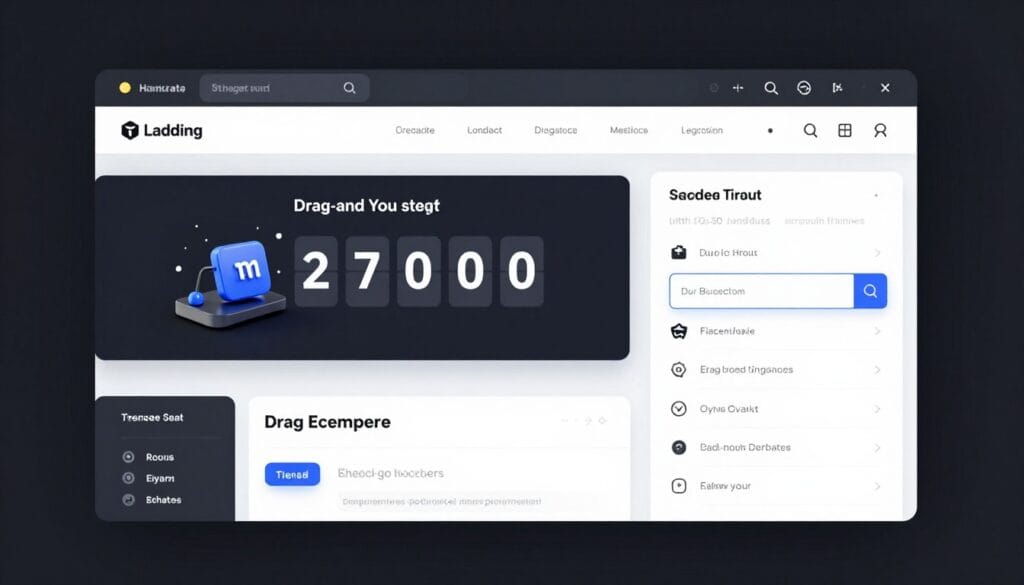
Transforming casual traffic into loyal customers starts with high-quality destination sites designed for conversion. These tools allow you to build a professional website presence without needing any coding skills. You can easily create a landing environment that guides users toward a specific action immediately.
Landing Page Builder Features
The landing page builder serves as the central hub for your lead generation strategy. It provides a seamless experience for creating high-impact landing pages that match your brand identity. The interface is intuitive, allowing you to focus on marketing rather than technical hurdles.
93 Professional Templates
GetResponse provides 93 professional templates categorized by industry and specific campaign goals. These designs ensure your page looks polished and functions perfectly on all mobile devices. You can choose from themes optimized for webinars, product launches, or opt-in offers.
AI Landing Page Creator
The AI landing page creator uses smart technology to generate a full layout in seconds. Simply describe your campaign, and the system builds a unique landing spot for your target audience. This artificial intelligence drastically reduces the time spent on initial design and structure.
Drag-and-Drop Editor
Use the intuitive drag-and-drop editor to move elements like countdown timers or testimonials with ease. This builder gives you total creative control over every page element without touching a single line of code. You can add multi-step forms and guarantee badges to build trust instantly.
A/B Testing Capabilities (Marketer Plan+)
Optimization is simple with native A/B testing available for those on the Marketer plan or higher. You can test up to five different landing variants to see which headlines or images drive more sales. This data-driven approach helps you identify the highest-converting combinations for your business.
Conversion Funnel Templates
The platform includes specialized funnel tools to map the entire buyer journey from start to finish. These pages work together to move leads from initial awareness to the final purchase completion. You can track every step of the customer journey within a single visual dashboard.
GDPR Compliance and Cookie Management
Every website visitor deserves privacy, and GetResponse makes meeting legal requirements simple. Your landing pages come with built-in cookie banners and GDPR-ready consent mechanisms. This ensures your data collection remains transparent and compliant with European regulations automatically.
Analytics Integration (Google Analytics, Facebook Pixel)
Connect your page to Google Analytics or a Facebook Pixel for advanced visitor tracking. These integrations help you see exactly how your landing traffic behaves after they click on your ads. Detailed insights allow you to measure conversion attribution and refine your retargeting efforts.
By using these integrated systems, you create a cohesive lead generation engine. These pages link directly to your email workflows to capture contacts and guide them toward a final purchase decision.
Native Webinar Hosting Platform

Businesses can now host high-impact presentations without buying extra software thanks to GetResponse’s integrated features. This native platform removes the friction of managing multiple subscriptions by housing everything under one roof. You can easily connect with your leads through live or automated webinar sessions that sync perfectly with your email marketing efforts.
Live Webinar Features
Engaging your audience in real-time is essential for building long-term trust and authority. The system provides a suite of professional tools designed to turn simple video calls into high-conversion webinars.
Up to 1,000+ Attendees (MAX Plan)
Scaling your reach is simple with tiered capacity options. The Free plan allows for 10 participants, while the Creator plan expands to 100 people. Large organizations can utilize the MAX plan to host over 1,000 attendees simultaneously.
Screen Sharing and Presentations
Deliver your message clearly by sharing your desktop or uploading a slide deck. The interface includes whiteboards and live chat to keep the energy high. These tools help you explain complex ideas and answer questions on the fly.
Multiple Presenters Support
Collaboration is easy when you can invite guest experts to the stage. You can host panel discussions or interviews with up to three presenters. This adds variety and professional production value to your webinar events.
Breakout Rooms (MAX Plan)
Interactive workshops are a breeze with the breakout rooms feature. You can split a large group into smaller units for focused discussions or team exercises. This is a game-changer for educational campaigns that require deep engagement with webinars.
On-Demand Webinars for Sales Funnels
You do not have to be online to make a sale or educate your subscribers. On-demand webinar options allow prospects to watch your best content at their own convenience. This automation ensures your message works around the clock without extra effort.
One-Click Recording Functionality
Capturing your live sessions is effortless with a single click. These recordings are perfect for repurposing into social media clips or paid course material. This simplifies the content creation process for busy marketing teams.
Webinar Storage Limits (3-20 Hours)
Storage space varies depending on the specific plan you choose for your business. Lower-tier accounts usually provide 3 hours of storage for your recorded content. Higher tiers expand this up to 20 hours to help you maintain a large library of videos.
Integration with Email Marketing Campaigns
The true power of this tool lies in its deep connection to email marketing. You can automatically send registration invites and follow-up reminders to your list. This tight integration helps you track which webinars are actually generating the most revenue for your brand.
Post-event webinars data flows directly into your contact profiles. This allows for personalized follow-up based on how long a person stayed or if they clicked a link. You can then nurture these leads with targeted content to maximize your conversion rates.
AI-Powered Features & Perfect Timing
Beyond simple automation, the platform leverages machine learning to ensure every message lands exactly when it should. This suite of intelligent tools streamlines the creative process while maximizing engagement rates for every email sent. Modern brands need this precision to cut through the noise of a crowded inbox.
Perfect Timing Send-Time Optimization
This marketing tool uses a machine learning capability that actually predates the recent AI craze. It continues to deliver superior engagement by analyzing how people interact with their inbox over time. By identifying these patterns, it ensures your content arrives when a user is most active.
Per-Contact ML Prediction
The system utilizes a per-contact ML prediction model for every subscriber. It examines each recipient’s historical email interactions to identify their personal optimal engagement windows. This means the software learns the best moment for each individual rather than using a generic average.
Individual Subscriber Analysis
This analysis goes beyond simple adjustments. It accounts for work schedules, browsing habits, and engagement patterns unique to every contact. This level of detail helps prevent your messages from being buried under dozens of other notifications.
“The goal of modern automation is to be relevant, not just frequent, by respecting the user’s schedule.”
Time Travel Multi-Timezone Delivery
The time travel feature allows businesses to schedule messages to arrive at a specific hour in the recipient’s local timezone. For example, you can ensure a newsletter hits every inbox at exactly 9:00 AM, whether the user is in New York or Tokyo. This makes global marketing management much simpler for small teams.
AI Email Generator
Busy teams often use the AI email generator to create complete drafts in seconds. You simply provide campaign objectives and target audience descriptions to get a working version. This accelerates the content creation cycle significantly.
AI Subject Line Generator
This tool suggests attention-grabbing subject lines based on your actual message content. It optimizes these suggestions for higher open rates by following industry best practices. It removes the guesswork from one of the most critical parts of your campaign.
AI Writing Assistant
Refine your copy with the built-in AI writing assistant. It helps improve clarity, adjust the tone, and optimize the length of your text. Using this tool ensures your message remains professional and engaging for all readers.
AI Campaign Generator (Marketer Plan+)
Available on the Marketer plan and higher, this generator automates the development of multi-stage campaigns. It structures the entire flow, including landing pages and follow-ups. Users should still review the output to ensure it matches their brand voice perfectly.
AI Course Creator (Creator Plan+)
The AI course creator helps educators structure educational content quickly. It organizes modules and lessons, allowing experts to focus on the actual teaching. This feature is a major benefit for those on the Creator plan.
AI Limitations: Shallow Learning vs. Deep Learning
While broad, these getresponse features often lean toward “shallow learning” implementations. They serve as excellent productivity tools for daily tasks. However, they may lack the extreme nuance found in specialized deep learning systems designed for complex data science.
| AI Feature | Primary Benefit | Target Plan |
|---|---|---|
| Perfect Timing | Boosts Open Rates | All Paid Plans |
| AI Campaign Tool | Rapid Deployment | Marketer+ |
| AI Course Tool | Content Structure | Creator+ |
- Analyze subscriber behavior automatically.
- Save time on repetitive writing tasks.
- Improve global delivery with time travel settings.
Email Deliverability & Performance Metrics

High engagement begins with a technical foundation that ensures your messages bypass the dreaded spam filter. Effective delivery requires more than just good content; it needs a robust infrastructure to support every message you send. GetResponse focuses on these technical details to keep your sender score high and your reputation solid.
99% Deliverability Rate Track Record
The platform maintains an impressive 99% deliverability rate track record. This consistency means your marketing email reaches the recipient’s inbox instead of getting lost in a junk folder. By monitoring global trends, the system adapts to changing ISP rules instantly to protect your reach.
Authentication Setup
Security protocols prove to the world that you are a legitimate sender and not a phisher. Proper setup prevents bad actors from spoofing your domain and damaging your brand. Authenticating your domain is the first step toward long-term inbox success.
SPF, DKIM, and DMARC Configuration
The system supports critical configurations like SPF, DKIM, and DMARC. These technical layers verify your identity for your sent emails. Using these standards significantly boosts your reputation with major providers like Gmail and Yahoo.
Dedicated IP Addresses (MAX Plan)
The MAX plan offers dedicated IP addresses for high-volume senders. This feature isolates your sending reputation from other users on the server. You gain full control over your delivery success without worrying about external factors or shared traffic.
IP Reputation Management
Maintaining a healthy IP address is vital for long-term growth and consistent visibility. GetResponse manages this by building strong relationships with major internet service providers across the globe.
Automatic Feedback Loops with ISPs
The system uses automatic feedback loops to track how subscribers interact with your emails. If someone marks a message as spam, the system handles it immediately to protect your stats. This proactive approach helps resolve issues before they hurt your overall campaign rate.
IP Warm-up Tooling
New accounts benefit from automated IP warm-up tooling that scales your volume safely. This process gradually increases the volume of your email sends to build trust with filters. It prevents sudden spikes that might trigger aggressive security blocks or temporary bans.
List Hygiene Tools
A clean list is the secret to high engagement and better placement. Removing invalid data keeps your bounce metrics low and your engagement high for every campaign. Regular list cleaning ensures you only message people who truly want to hear from you.
Bounce Management
The software automatically handles both hard and soft bounces to keep your data accurate. It removes permanent failures from your contacts database instantly to avoid repeated delivery errors. This automation ensures you only spend resources on active and valid addresses.
Inactive Contact Identification
You can easily find subscribers who have not opened an email in several months. Identifying these inactive users allows you to run re-engagement campaigns or remove them entirely to save costs. Keeping only active users improves your overall sender authority and engagement percentages.
Conversion Funnels & E-commerce Features
Managing an online business becomes significantly easier when your marketing and sales tools work in perfect harmony. GetResponse provides a dedicated suite of tools designed specifically to boost ecommerce performance. These features help you capture leads and guide them through a structured journey toward a successful purchase.
Automated Sales Funnels
You can deploy pre-built templates that manage the entire customer lifecycle without manual intervention. These funnels combine landing pages, automated messaging, and payment processing into one seamless flow. This setup ensures that every prospect receives the right message at the right time to maximize conversion rates.
Abandoned Cart Recovery Extended to Non-Subscribers
Revenue recovery often stops at your subscriber list, but this platform expands your reach. The system identifies visitors who leave items behind even if they haven’t signed up for your newsletter yet. This unique feature allows you to recapture sales that most other marketing platforms would simply lose.
E-commerce Platform Integration
The system offers native connections with major ecommerce platforms like Shopify, WooCommerce, and Magento. This integration synchronizes your product catalogs and customer purchase history automatically every day. It creates a unified database that powers smarter, data-driven marketing decisions for your store.
Product Recommendation Engine (Marketer Plan+)
If you are on the Marketer plan or higher, you can access an AI-driven recommendation engine. It analyzes how users browse your site to suggest the most relevant product based on their interests. Adding these personalized suggestions to your email campaigns significantly increases your average order value.
Transactional Email Service (MAX Plan Add-On)
For those on the MAX plan, GetResponse offers a dedicated infrastructure for your most critical business messages. This service operates separately from your standard marketing campaigns to ensure the highest possible reliability. You get a robust solution for essential communications that customers expect to receive instantly.
| Feature Category | Starter | Marketer | MAX |
|---|---|---|---|
| Basic Funnels | Limited | Full | Full |
| Abandoned Cart | No | Yes | Yes |
| Transactional Email | No | No | Add-On |
Order Confirmations
Send automated receipts immediately after a customer completes their purchase on your website. These messages build long-term trust by providing instant proof of a successful transaction and payment. Consistency in communication helps turn one-time buyers into repeat customers.
Shipping Notifications
Keep your customers informed about their delivery status with real-time updates and tracking links. Transparent communication reduces the number of support inquiries and improves the overall shopping experience. Happy customers are much more likely to leave positive reviews for your brand.
One-Second Delivery Guarantee
The transactional email service provides a one-second delivery guarantee for all your vital alerts and notifications. Speed and reliability remain essential for maintaining a professional image in the highly competitive ecommerce landscape. Your customers will never have to wait for the information they need most.
Contact Management & Segmentation

GetResponse offers a robust suite of tools designed to help you organize and understand every individual in your database. This system centralizes communication history and behavioral data to ensure your marketing stays relevant. By maintaining a clean database, you can scale your efforts without losing the personal touch that drives engagement.
Contact Database Management
Efficiently managing your contact information is vital for long-term growth. The platform provides several ways to keep your records tidy and actionable. These tools allow you to centralize everything you know about your audience in one place.
Tagging System
You can apply unlimited custom tags to your subscribers based on their interests or purchase history. This flexibility allows you to trigger a specific automation when a tag is added. It is a powerful way to label users without creating dozens of separate folders.
Custom Fields
Custom fields allow you to store data beyond just a name. You can track birthdays or company details to personalize every message you send. This helps in creating a more detailed profile for every person in your database.
Dynamic List Updates
The system handles dynamic lists by moving people based on real-time behavior. This ensures your contacts always receive the right content for their current status. It removes the manual work of shifting people between different groups.
Advanced Segmentation (Marketer Plan+)
For those on a higher plan, advanced segmentation unlocks deeper insights. It combines demographics and activity to create laser-focused groups. This precision is what often separates average campaigns from high-converting ones.
Behavior-Based Segments
You can target subscribers who opened specific emails or clicked certain links. This helps you follow up with people who are already engaged. It is a great way to reward your most active fans with special offers.
E-commerce Activity Segments
Marketers can identify high-value customers using purchase history. You can also target subscribers who have abandoned their carts recently. This level of detail helps in recovering lost sales and increasing lifetime value.
CRM Limitations
While the platform is powerful, it is not a full-scale CRM. It lacks certain features that large sales teams often require for closing complex deals. Understanding these gaps is key to choosing the right tech stack.
“The contact management tools are excellent for marketing, but they do not replace a dedicated sales CRM for B2B pipelines.”
No Deal Pipeline
There is no visual deal pipeline to track individual sales progress. This makes it difficult to manage complex B2B sales cycles. You cannot move “leads” through stages like “Negotiation” or “Contract Sent.”
No Sales Sequences
The tool does not offer dedicated sales sequences for one-on-one outreach. It is primarily built for marketing automation rather than direct sales. This distinguishes it from platforms like HubSpot or Pipedrive.
When to Use a Separate CRM
If your business has a complex sales process, you should use a separate CRM. This ensures your contacts are managed by a tool built for closing deals. You can then sync that data back to your email plan for broader marketing.
| Feature | Basic Plan | Marketer Plan+ | CRM Capability |
|---|---|---|---|
| Custom Tagging | Unlimited | Unlimited | High |
| Behavioral Segments | Basic | Advanced | Moderate |
| Deal Pipelines | No | No | None |
| Dynamic Lists | Yes | Yes | High |
Forms, Pop-ups & Lead Capture Tools
GetResponse offers a robust suite of lead capture mechanisms designed to grow your list rapidly. These tools allow businesses to create visually stunning layouts that match their brand identity perfectly. You can integrate these elements directly into your website to ensure a seamless user experience for all visitors.
Form Types Available
Choosing the right form depends on where your audience spends their time. GetResponse provides several options to help you capture emails effectively without disrupting the user flow. These features help you convert casual visitors into long-term customers.
Inline Forms
You place these directly within your content, such as blog posts or a specific landing page. They work best for readers who are already engaged with your long-form articles. Contextual placement ensures higher quality leads who truly care about your message.
Pop-ups and Slide-ins
These dynamic overlays appear based on specific user actions or time spent on the site. They work perfectly for highlighting special offers or “last-minute” deals to potential subscribers. Strategic timing prevents these displays from becoming intrusive to the reader.
Embedded Forms
You can use simple code snippets to place a subscription box anywhere on your site. This form style inherits your site’s CSS, maintaining a consistent look and feel across every page. This method is ideal for footers or sidebars.
Popup Behavior Controls (Added March 2026)
In March 2026, GetResponse introduced advanced behavioral settings to improve the user experience. These updates give you more control over how and when your audience sees an offer. Smart triggers ensure you only show messages when users are most likely to convert.
Background Dim
This feature darkens the rest of the website when a popup appears. It helps the user focus entirely on your primary call to action without any visual distractions. It effectively guides the eye toward your subscription offer.
Scroll Block
This prevents users from scrolling further down the page until they interact with the display. It ensures your message receives the attention it deserves immediately. This is a powerful tool for high-priority announcements.
Exit-Intent Technology
This smart form trigger detects when a visitor plans to leave the site. It presents a final offer to keep them engaged before they close the browser tab. Abandoned visitors often become your best leads with this technology.
Form Analytics and Conversion Tracking
Data-driven marketers can use built-in tools to monitor performance across all devices. The platform tracks which landing pages convert best and helps you optimize your overall strategy. It also records the specific paths users took before joining, allowing for automatic segmentation.
GDPR-Compliant Double Opt-In
Security and privacy remain top priorities for modern lead generation in a global market. Every form includes consent checkboxes to ensure compliance with GDPR and CAN-SPAM regulations. The double opt-in process confirms that every landing visitor truly wants to receive your marketing updates.
Reporting, Analytics & Split Testing

GetResponse provides a robust suite of analytical tools designed to turn raw data into actionable insights. These features help you understand your audience and refine your email marketing strategy. By tracking every interaction, you can see exactly how your efforts impact your bottom line.
Native Revenue Attribution (Added April 2026)
In April 2026, the platform introduced native revenue attribution to simplify sales tracking. This feature connects your campaigns directly to specific sales revenue. You no longer have to guess which message triggered a purchase or calculate ROI manually.
Side-by-Side Campaign Comparison
You can evaluate multiple campaigns at the same time using side-by-side comparisons. This analysis helps you spot patterns in engagement across different segments. It is essential for identifying which long-term strategies drive the best results for your brand.
Geographic and Device Breakdowns
Understanding where your audience lives and what tech they use is vital for modern growth. These reports show if users prefer a mobile view or a desktop experience. You can use this data to optimize your content for specific regions or devices.
Conversion Funnel Reporting
Visualizing the customer journey is simple with conversion funnel reports. You can track prospects as they move through each landing page in your sequence. This allows you to identify where users drop off so you can improve your landing page conversion rates.
Webinar Attendance and Engagement Reports
For those hosting digital events, the webinar reports provide deep intelligence. They track registration, actual attendance, and how much time people spent watching your presentation. You can also monitor question participation to assess how well your message resonated.
A/B Testing Capabilities (Marketer Plan+)
If you want to improve your email marketing results, systematic testing is key. The Marketer plan allows you to run sophisticated experiments to find the most effective approach. This process identifies winning combinations based on real subscriber behavior.
5 Variants Per Test
Users can create up to five variants for a single experiment. This high level of flexibility helps you compare different ideas simultaneously. It ensures you find the strongest version of your message before the final send.
Subject Line, Sender, Content, and Send Time Testing
You can test the subject line, sender name, or the actual message content. Optimizing the delivery time ensures your message arrives when people are most likely to open it. These small changes often lead to massive shifts in engagement.
| Test Variable | Max Variants | Primary Goal |
|---|---|---|
| Subject Line | 5 | Improve Open Rates |
| Content/Layout | 5 | Boost Click-Throughs |
| Send Time | 5 | Maximize Engagement |
Google Analytics Auto-UTM Tagging
GetResponse includes auto-UTM tagging to bridge the gap between platforms. It automatically adds tracking parameters to all your links. This makes it easy to see your webinar or email traffic within your main Google Analytics dashboard.
Customer Support & Resources
Navigating technical hurdles became much easier with a robust assistance system at your fingertips. GetResponse built a multi-tiered infrastructure to ensure that every business found the support it needed to keep campaigns running smoothly.
24/7 Live Chat Support (All Paid Plans)
Every paid plan included access to 24/7 live chat support. This meant users received real-time answers regardless of their time zone or account size. The instant nature of chat helped resolve minor glitches before they impacted scheduled sends.
Email Support (7 Languages)
For more complex inquiries, email assistance was available in seven different languages. This commitment to international users ensured that non-English speakers communicated effectively with the technical team. It helped global teams manage many markets without any language barriers.
| Plan Tier | Chat Assistance | Email Languages | Phone Access |
|---|---|---|---|
| Starter | 24/7 Access | 7 Languages | Not Available |
| Creator | 24/7 Access | 7 Languages | Not Available |
| MAX | 24/7 Access | 7 Languages | Priority Access |
Phone Support (MAX Plan Only)
While digital channels were fast, some users preferred a voice connection. Phone support remained exclusively reserved for MAX plan subscribers during this period. This represented a notable limitation for a smaller business that needed urgent verbal guidance for intricate setups.
Dedicated Customer Success Manager (MAX Plan)
The MAX tier also provided a dedicated customer success manager to assist high-volume senders. This professional monitored account health and offered strategic advice to maximize total ROI. They acted as a partner in growth rather than just a simple help desk contact.
Knowledge Base and Documentation
If users preferred self-service, the extensive knowledge base offered step-by-step tutorials and video guides. This library covered everything from basic email setup to advanced visual automation. These resources allowed individuals to troubleshoot issues independently at any hour of the day.
Response Time and Support Quality
Typical wait times for chat remained low, often staying under a few minutes for most users. Feedback showed that the quality of support was high, with representatives demonstrating deep platform expertise. However, users requiring phone support had to decide if the premium tier justified the cost for foundational support needs.
“The 24/7 chat assistance was a lifesaver for our midnight campaign launches when we hit a technical snag.”
GetResponse Pros & Cons Analysis

This getresponse review takes a deep dive into the platform’s highs and lows to see if it fits your needs. Every business has unique goals, and choosing the right marketing stack requires a clear look at both benefits and drawbacks. We analyzed the software’s performance to provide a transparent overview.
Key Advantages
The platform stands out by offering a suite of professional tools that usually require separate subscriptions. By consolidating these features, it simplifies the daily workflow for many entrepreneurs. Here are the primary strengths discovered during our research.
Cheapest Scaling Curve in Category
One major benefit is the affordability as your list grows. When you reach 100,000 contacts, the price remains competitive compared to high-end rivals. This cost-effective structure allows businesses to scale without facing massive budget spikes.
| Contact Count | GetResponse Price | Competitor Price |
|---|---|---|
| 100,000 | $539/month | $1,199/month |
| Scale Benefit | High Savings | Premium Cost |
Native Webinar Functionality at All Paid Tiers
Users enjoy built-in webinars across all paid tiers. You do not need to pay for a separate hosting service to run your online events. This integration makes it easy to turn attendees into leads instantly.
Perfect Timing ML Send-Time Optimization
The perfect timing feature uses machine learning to analyze when subscribers actually open their mail. It delivers messages at that specific moment for every individual. This boosts engagement far beyond standard scheduled blasts.
Time Travel Timezone Delivery
Global brands use time travel to reach audiences at the right local hour. It ensures your 8:00 AM announcement arrives at 8:00 AM everywhere, regardless of the subscriber’s location. This consistency improves open rates across different continents.
Genuinely All-in-One Platform
The system combines email, landing pages, and a website builder into one dashboard. This marketing approach saves time and keeps your data in one place. You can manage your entire funnel without switching tabs.
18% Annual Discount
Businesses that commit to a yearly plan save 18% on their total costs. This is one of the most generous prepayment incentives in the industry today. It rewards long-term users with significant budget relief.
Generous Free Plan with Website Builder
The entry-level plan offers more than just basic emails. It includes a complete website builder to help new creators get started quickly. Small businesses can launch their digital presence without any initial investment.
Main Disadvantages
While the tool is powerful, it is not perfect for every scenario. Some features might feel limited for power users who need highly specialized technical tools.
Jack of All Trades, Master of None
Because it tries to do everything, it occasionally lacks the depth of niche software. A dedicated CRM or specialized landing page tool might offer more advanced settings. However, it provides enough for most standard marketing campaigns.
“GetResponse provides a broad toolset, but experts may find the specialized functions less deep than standalone alternatives.”
AI Features Broad but Shallow
The AI tools are great for basic productivity but lack deep learning capabilities. They help generate ideas quickly but still require manual editing for brand voice. It is a helpful assistant rather than a full replacement for a human writer.
Some Templates Feel Dated
While the library is large, some designs look like they belong in the past decade. You might need to spend extra time customizing layouts to match modern aesthetic standards. New templates are added, but the old ones remain in the system.
Transactional Email and SMS Are MAX-Only
If you need to send automated receipts or SMS alerts, you must upgrade to the most expensive tier. This restriction makes it harder for small e-commerce shops to use these vital features. High-volume transactional mail requires an additional add-on.
Contact Management Is Not a Real CRM
The contact database works well for list management but lacks full CRM power. You won’t find detailed sales pipelines or advanced lead tracking found in HubSpot. It is best suited for webinars and list-based communication.
No Split-Testing of Automation Paths
Current users cannot A/B test different branches within their automation workflows. You can test subject lines, but you cannot easily compare two different customer journeys. This final point in our review highlights a limitation for data-driven experts.
- High scaling value at 100k contacts.
- Integrated webinars simplify funnels.
- Perfect timing boosts open rates.
- MAX-tier required for SMS and transactional mail.
Who Should Use GetResponse in 2026?
Determining if GetResponse is the right fit for your strategy requires looking closely at your operational scale. This platform offers a versatile range of features that cater to specific market segments looking for growth. By focusing on accessibility, it bridges the gap between simple list-sending and high-end enterprise systems.
Ideal for Budget-Conscious Small to Medium Businesses
GetResponse stands out as a top choice for a growing business that needs to maximize every dollar spent. It provides a comprehensive suite of features without the steep price tag associated with enterprise software. Small teams can manage their entire marketing strategy from a single dashboard effectively.
Perfect for Content Creators and Course Sellers
For a digital creator, the specialized Creator plan is a significant advantage in a competitive market. You can easily manage your premium content, build a high-converting website, and use the AI course generator. This integrated tool simplifies the technical side of digital education so you can focus on teaching.
“Efficiency is doing things right; effectiveness is doing the right things.”
Excellent for E-commerce Businesses
If you run an ecommerce store, this platform helps you track every dollar of revenue with precision. Use the advanced email marketing features to recover abandoned carts and send personalized product recommendations. These native integrations ensure that your store data flows directly into your promotional campaigns.
Great for Businesses Running Regular Webinars
Hosting webinars is much more efficient when the software is built directly into your main dashboard. You will not need to pay for extra third-party subscriptions or deal with messy integrations to reach your audience. This makes it an ideal choice for educational sessions and live product demonstrations.
Not Ideal for Advanced Marketing Teams
Large organizations might find the automation depth a bit shallow compared to specialized systems. While the email marketing options are incredibly strong, experts often want more granular control over complex data sets. If your marketing requires heavy custom coding or deep technical logic, you might hit a ceiling here.
When to Choose ActiveCampaign or HubSpot Instead
Choose ActiveCampaign if your business requires sophisticated automation and advanced lead scoring. HubSpot remains the superior choice for those who need a full-scale CRM and deep sales pipelines. These alternatives provide more power for companies with massive databases and complex internal sales structures.
| User Category | Top Benefit | Primary Feature |
|---|---|---|
| Small Businesses | Cost Savings | All-in-One Dashboard |
| Course Creators | Fast Setup | AI Course Generator |
| Online Retailers | Sales Growth | Revenue Attribution |
| Workshop Hosts | Engagement | Native Webinars |
Conclusion
Ultimately, GetResponse serves as a versatile Swiss Army knife for digital growth and customer engagement. Our review shows it provides solid performance across many disciplines at an exceptional value. While it may not be the most innovative platform, it consistently delivers for those who value reliability.
For budget-conscious teams, it is hard to find better marketing tools in one place. You get a consolidated set of features like landing pages, webinars, and automation. This makes advanced capabilities accessible for small and medium businesses without a high price tag.
If you want to test these email marketing capabilities, you can start a 30-day free trial. This allows you to evaluate the paid plan options without any financial risk. It is the perfect way to see how the tools fit your specific business needs.
The ability to multiply sales by 300% comes from using getresponse as a complete ecosystem. By combining list building, segmentation, and AI-powered marketing, you create a powerful compound effect. Features like Perfect Timing and abandoned cart recovery significantly boost your email marketing revenue.
Since 1998, getresponse has maintained a proven track record of stability. It remains the optimal choice for businesses that prioritize predictable performance over experimental trends. If you need a practical solution that simply works, this service offers incredible long-term value.


 By
By